
Double listening allows you to monitor live calls and assist your agents in real time. In this guide, you’ll learn how to join active conversations, intervene discreetly, and manage your call monitoring options.
Monitoring live calls
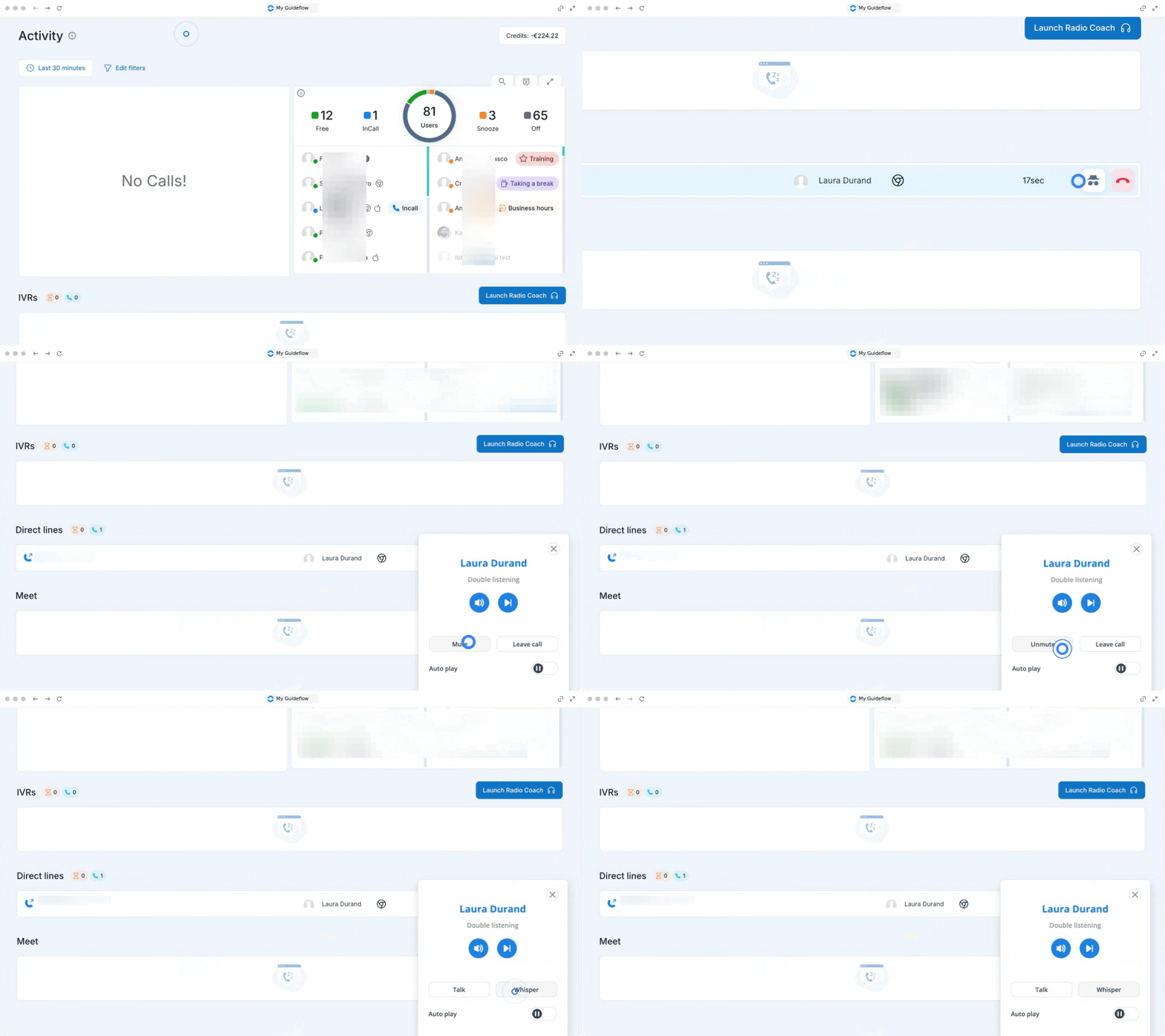
1. Join a call in progress
You can easily listen in on active calls directly from your dashboard.
Go to your activity page.
Find the call in progress you want to monitor.
Hover over the call in progress.
Click on the "Double listening" button that appears on the right of the conversation (👉How to use the Radio Coach feature)
Once you’ve joined the call, you can intervene in two different ways depending on the situation.
Talk feature
Use this option if you want to speak with all participants of the call (both the customer and the agent).
Click on the "Talk" button.
Whisper
Use this option if you prefer to intervene only with the agent, without the customer hearing.
Click on the "Whisper" button.
Use the controls to mute or unmute your microphone.
2. Leaving live calls
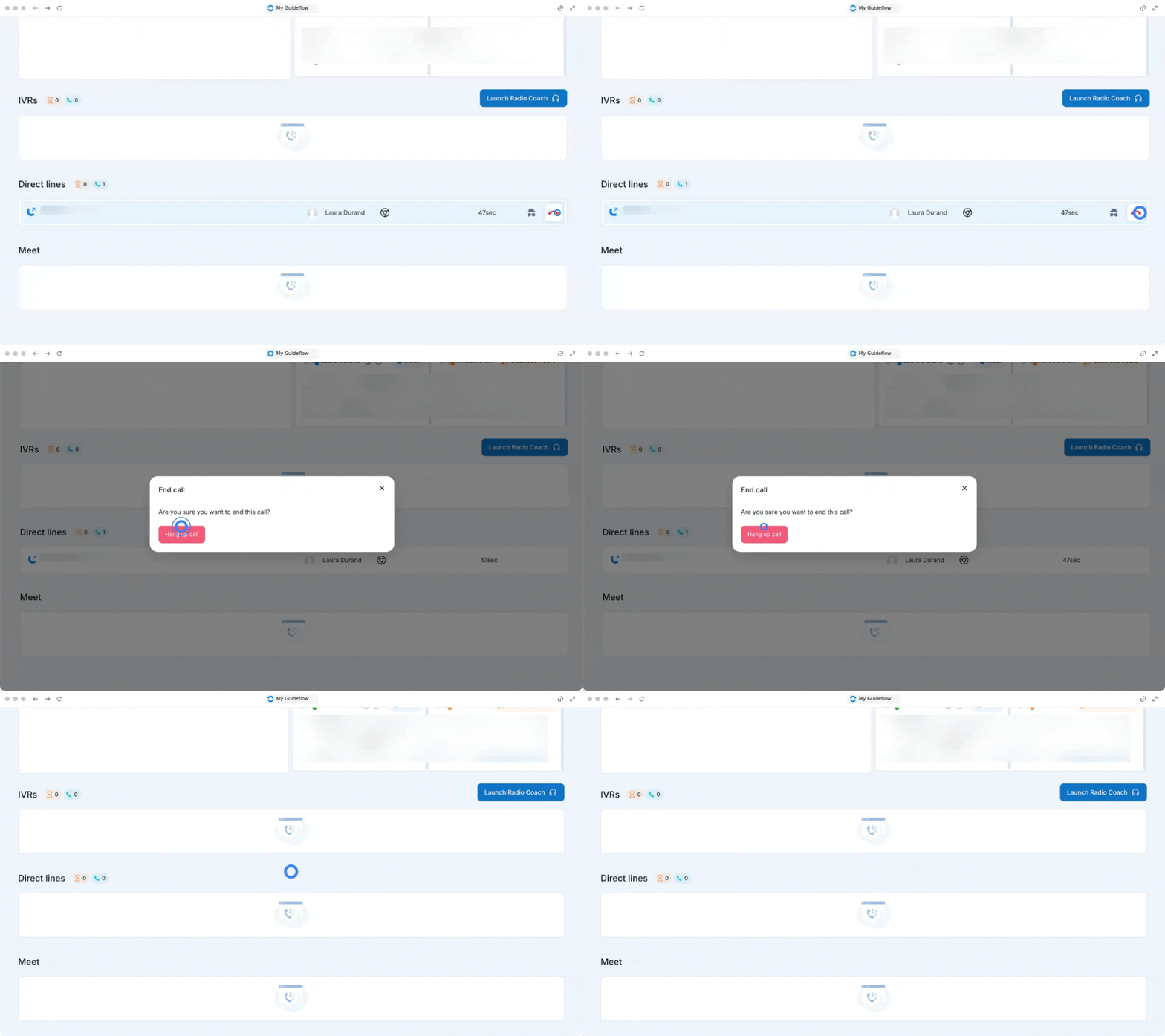
While you are in the talk or whisper mode, you have full control over your audio and can finish your intervention at any time.
Click on the "Leave call" button to exit the conversation.
Alternatively, close the Radio Coach tab or click on the red phone icon to leave.
🎉 You now know how to monitor live calls and can seamlessly provide real-time support to your team!