
The Additional Call Campaign Contacts add-on in Ringover allows you to expand the contact capacity of your calling campaigns by 1,000 contacts per subscription. In this guide, you’ll learn how to activate this add-on from the Marketplace, import contact lists, and manage campaign limits effectively.
Prerequisites
- Available starting with a Business license with the Call Campaigns add-on enabled.
- Your contact lists prepared for import (CSV format).
- You must be an account administrator.
Increase your contacts' limits
1. Add more contacts to your calling campaign
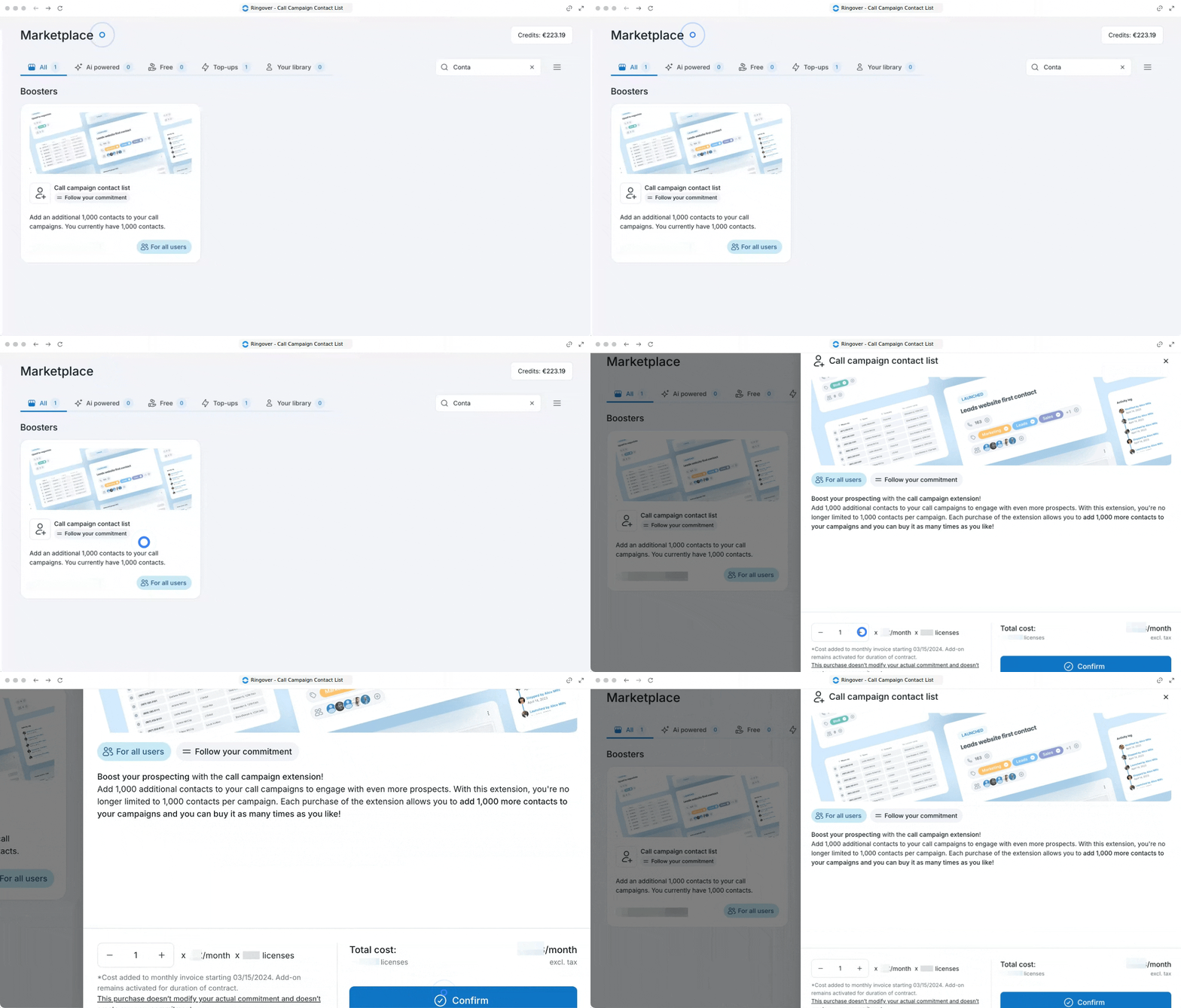
Navigate to your Ringover Dashboard to purchase additional campaign contact capacity.
- Log in to your Ringover Dashboard.
- Go to Marketplace's page.
- Locate Additional Call Campaign Contacts in the add-ons list.
- Select the quantity you want to add (each purchase adds +1,000 contacts per campaign).
- Click Subscribe to confirm your purchase.
3. Import contacts and launch your campaign
Upload your expanded contact lists directly into your active or new campaigns.
- Go to Call Campaigns in your Dashboard menu.
- Select an existing campaign or click Create a Campaign.
- Upload your contact list using a CSV file or feed data automatically via the Ringover API.
FAQ
How many contacts can I add per campaign?
You can add 1,000 contacts per campaign by default, plus 1,000 additional contacts for each purchase of the "Additional call campaign contacts" add-on.
Can I import via CSV and automate via the API?
Yes. You can manually import lists using CSV files or use the API to automatically feed and update your campaign contact lists on a regular basis.
Can I split my 1,000 additional contacts across different campaigns?
No. Each campaign has its own limit. Purchasing the add-on increases the maximum contact limit for every individual campaign across your account.
🎉 You now know how to increase your call campaign contact limits and manage larger outbound lists effortlessly!