How does the integration work?
With the Ringover and Magento integration, your contacts are automatically synced and will appear on the dialer during incoming calls.
You’ll instantly see the contact’s first name, last name, company, and a direct link to their Magento profile. These details also appear in your call log for each inbound and outbound call.
How to set up the integration
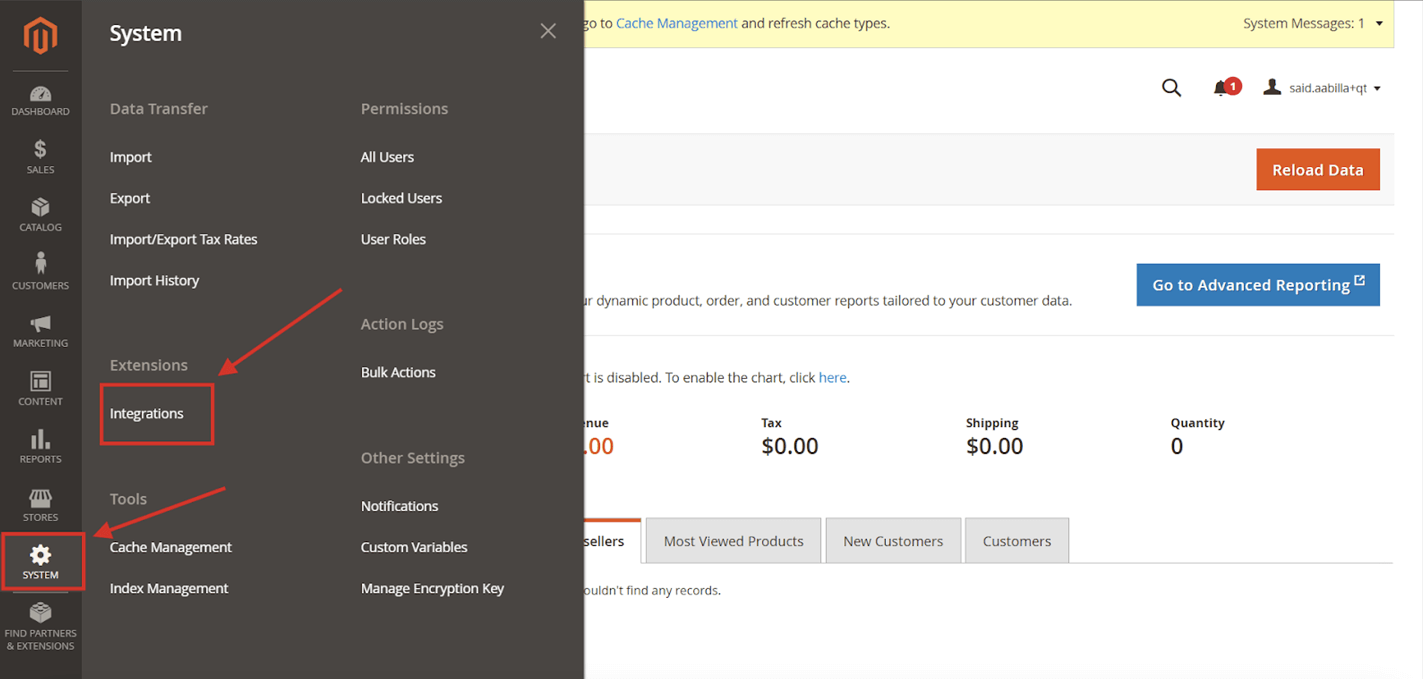
- From your magento dashboard, go to integrations:
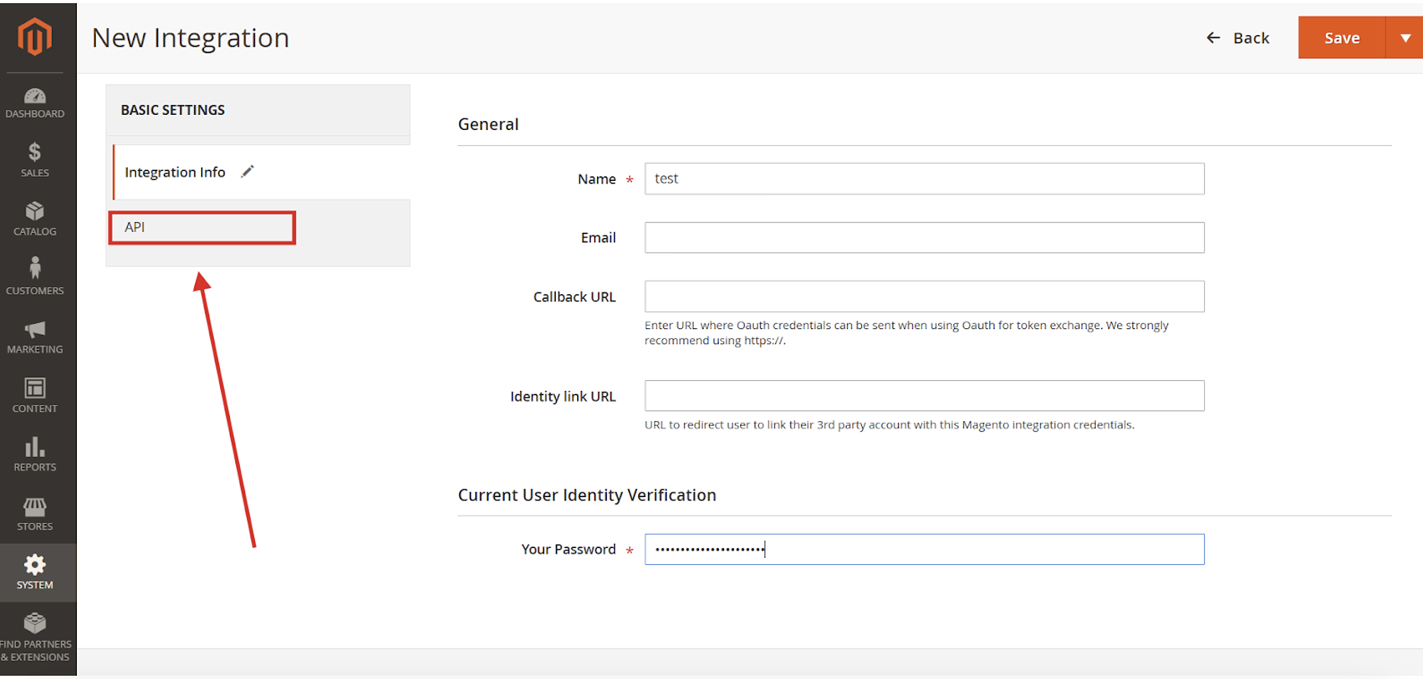
2. Add a new integration:
3. Once you give it a name and enter your password, navigate to the api section:
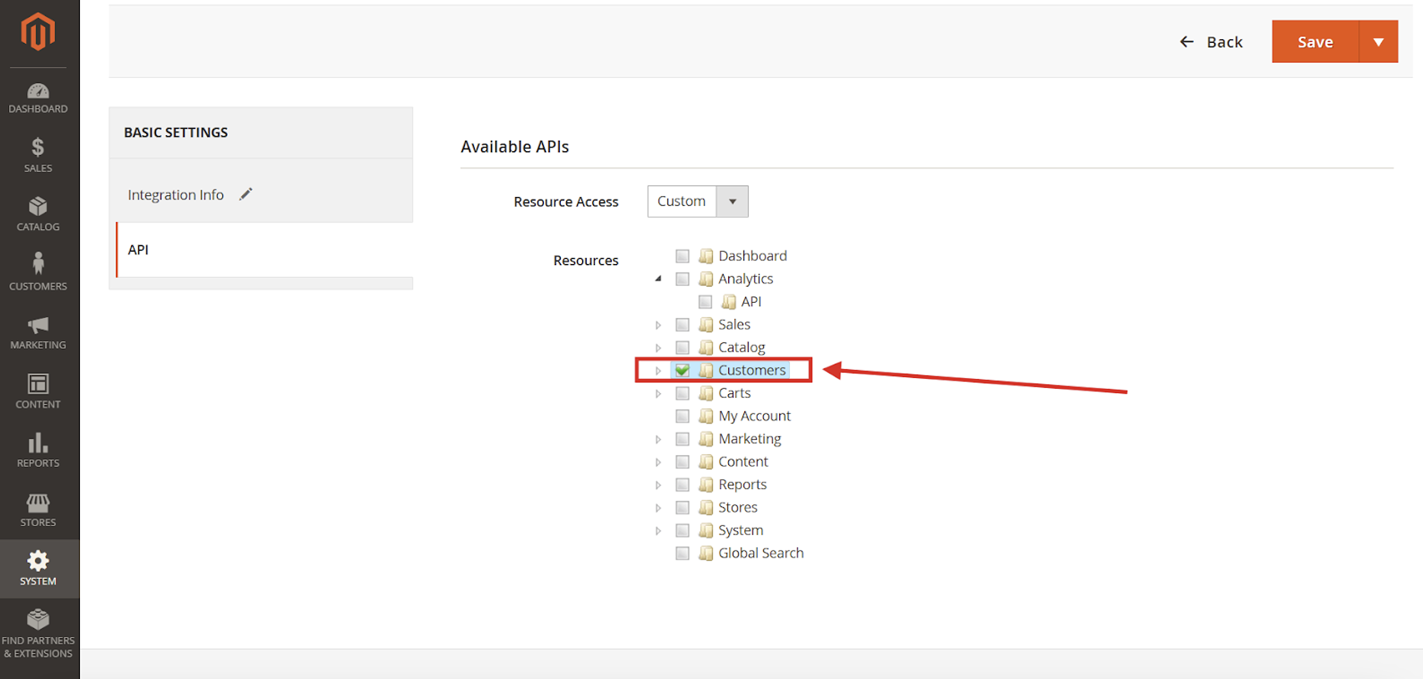
4. Give permission to access customers and click "save"
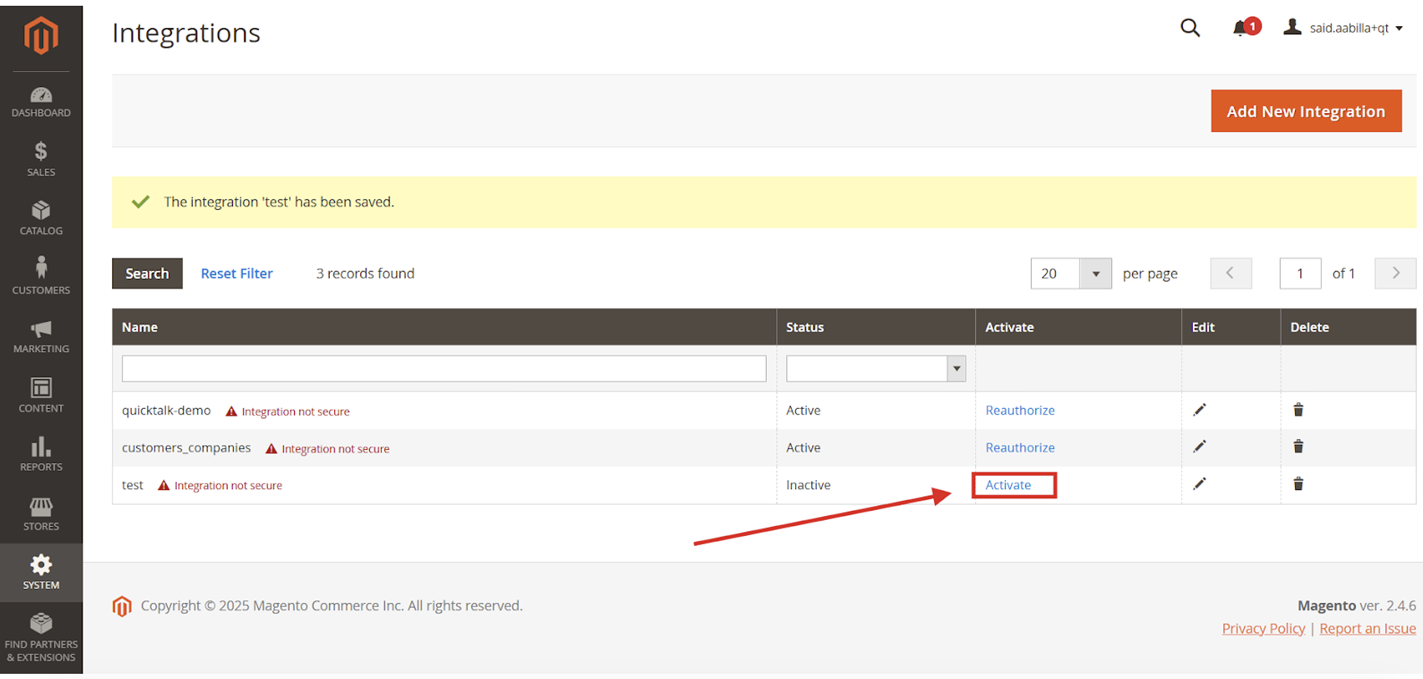
5. Then you will be redirected to the main integrations page, look for the integration you created and click activate from the menu:
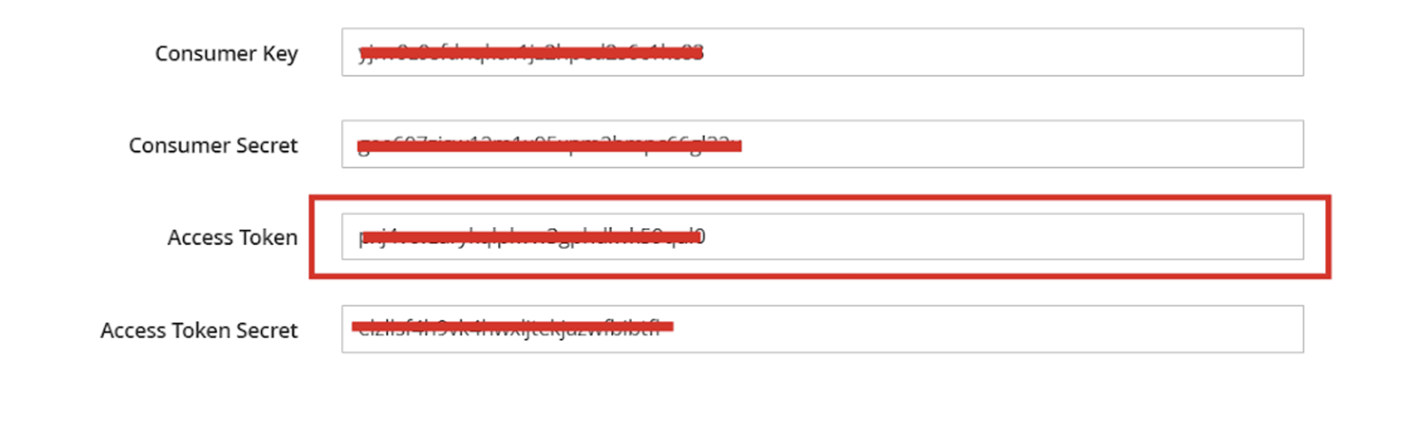
6. Then make sure to save the access token:
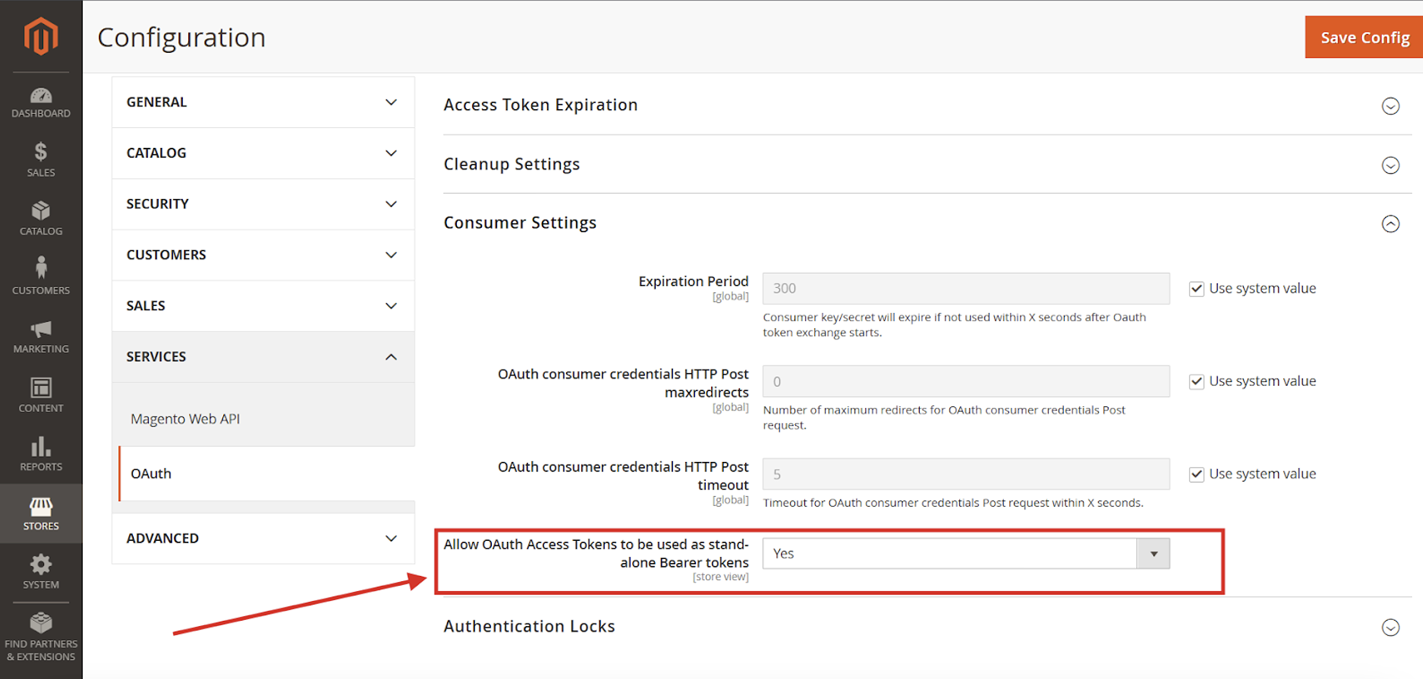
👉 Make sure to go to Stores > Configuration > Services > OAuth > Consumer Settings > Allow OAuth
👉 Access Tokens to be used as standalone Bearer tokens option to Yes
One crucial step for the integration is to activate the search by phone number in your magento, to do so you must add a plugin:
- You will find the code here: github-link
- Clone the repo.
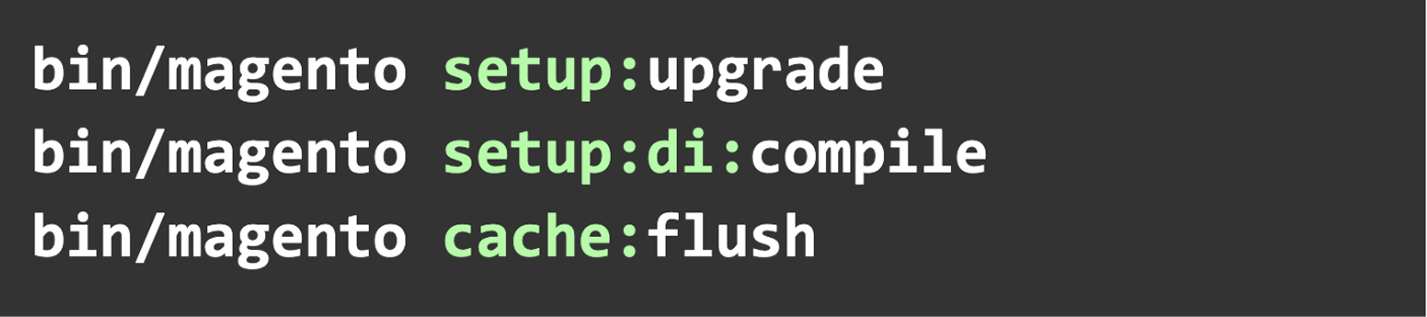
- Place the folder code that you cloned inside your app folder that is located in the magento project root directory and run the following commands: