How does the integration work?
With the Ringover Talk and Prestashop integration, your contacts are automatically synced and will appear on the dialer during incoming calls. You’ll instantly see the contact’s first name, last name, company, and a direct link to their Prestashop profile.
These details also appear in your call log for each inbound and outbound call.
Note : Your Prestashop contacts will not appear in the “Contacts” tab of your Ringover Talk space. This does not mean the integration was unsuccessful.
How to set up the integration
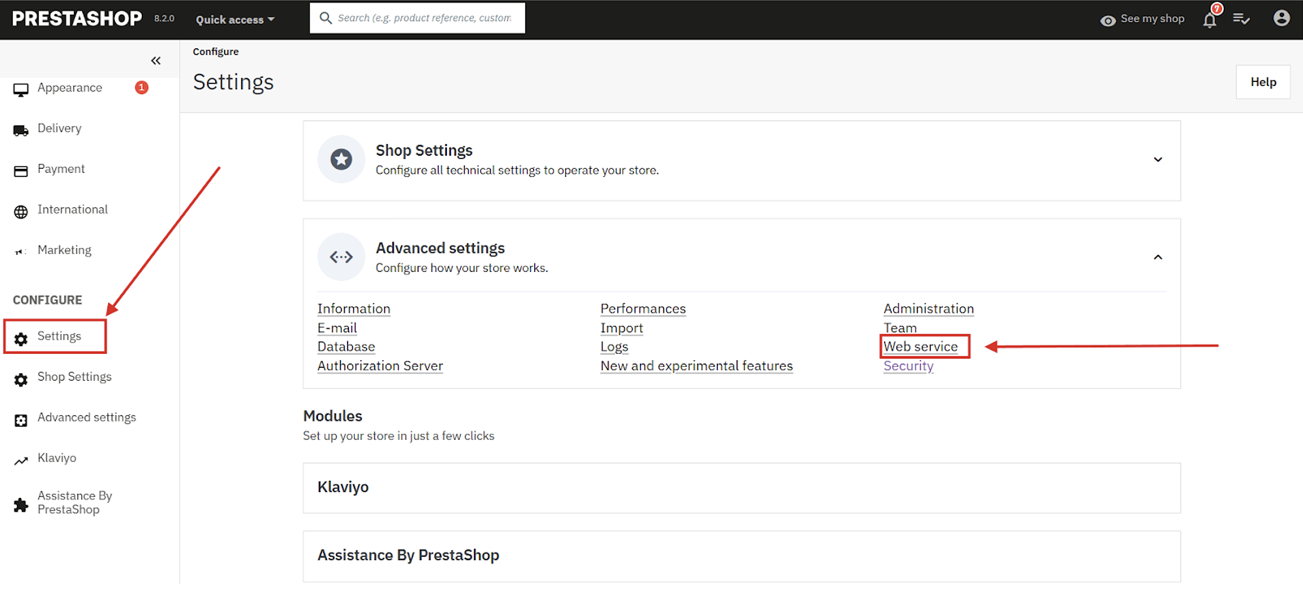
- From your prestashop dashboard, go to settings then select advanced settings, find the Webservice option and click on it:
2. Add a new key: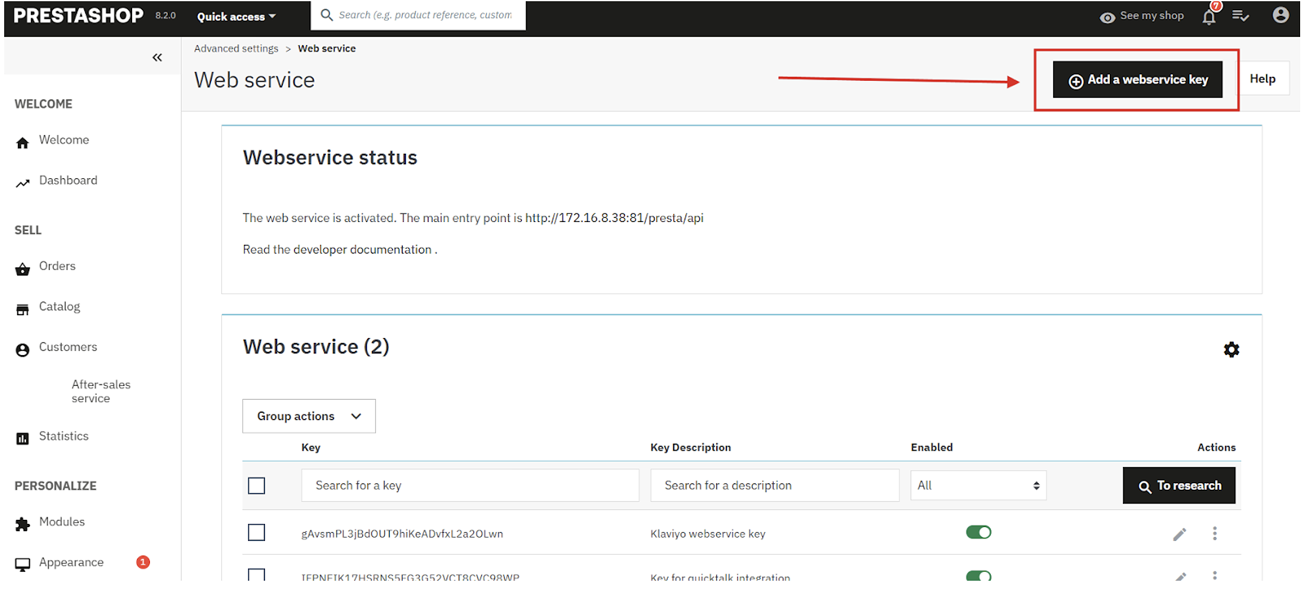
3. Click generate to get a code and fill out the necessary information, the permissions that you should give are: addresses, customers, suppliers:
4. Once you click save, copy the key, go to Ringover Talk app and start the activation:
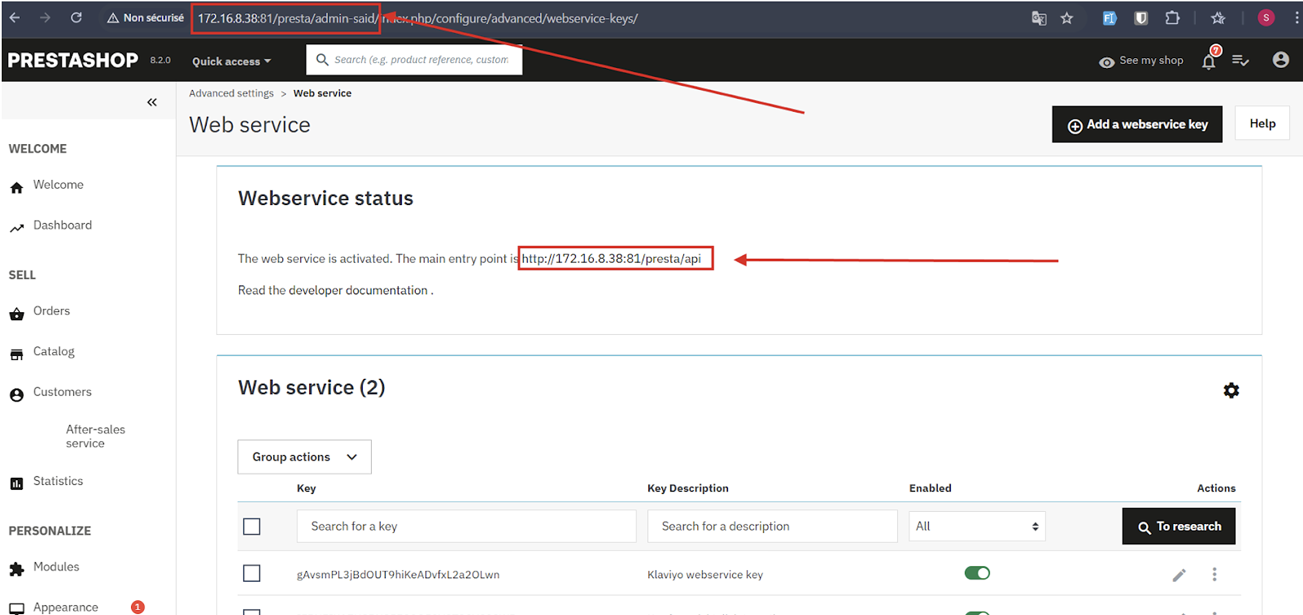
Ringover Talk will ask you for the following information, check the screenshots below to see how to get the correct urls):
- Prestashop base admin url (https://mystore-domain.com/admin)
*no forward slashes at the end. - Prestashop base api Url (https://mystore-domain.com/api)
*no forward slashes at the end. - Api Key