How does the integration work?
With the Ringover Talk and Evoliz integration, your contacts are automatically synchronized and displayed on the dialer for every incoming call. You can immediately see the first name, last name, company, and a direct link to the contact record in Evoliz. This information is also available in your call log for every incoming or outgoing call.
📝 Note: Your Evoliz contacts will not appear in the “Contacts” tab of your Ringover Talk workspace. This does not mean that the integration is not working.
How to set up the integration
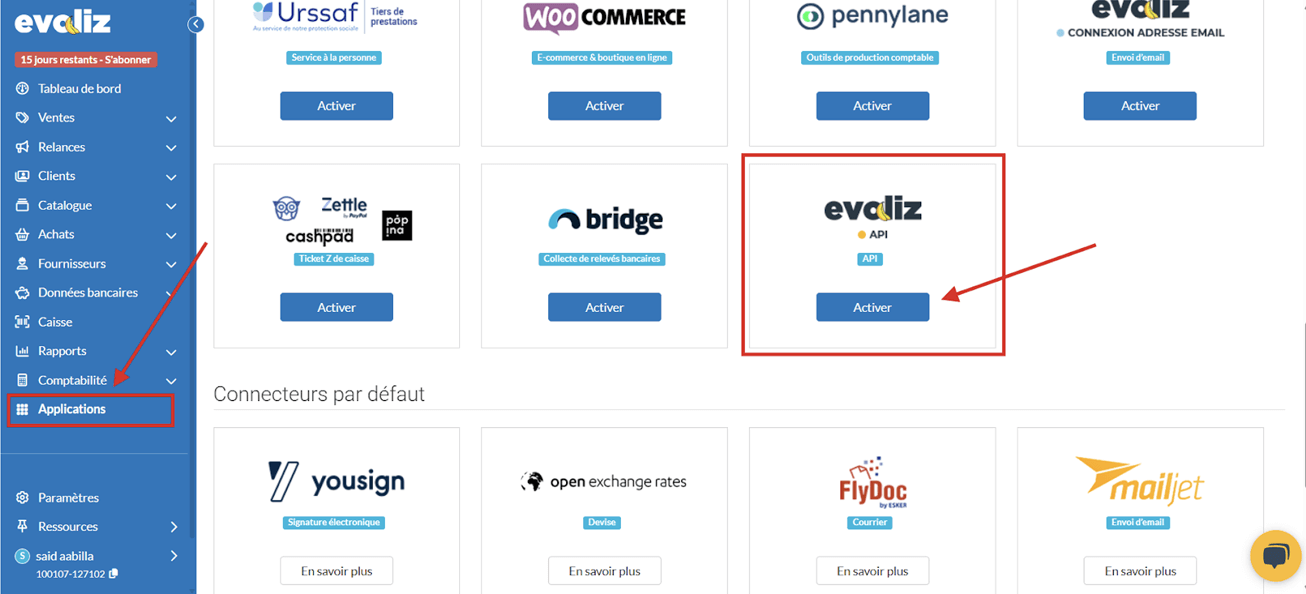
- From your Evoliz dashboard, go to Applications, then scroll down the page until you find the Evoliz API Connector, and click Activate.
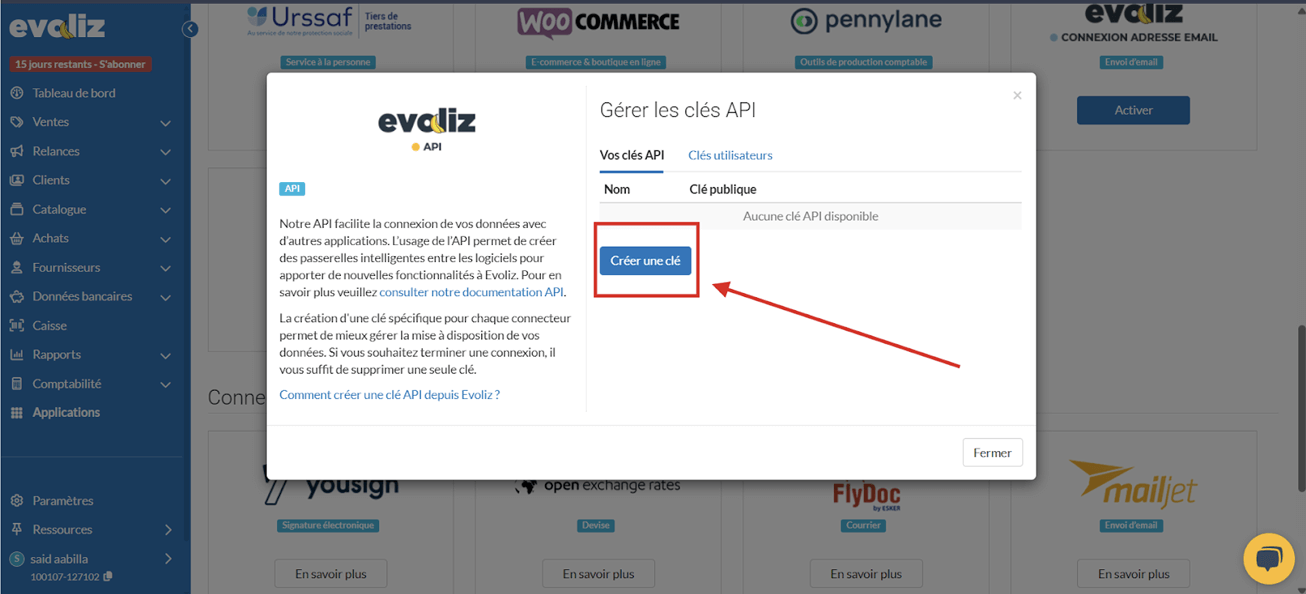
- Add a new key and make sure to copy both the Public Key and the Secret Key and keep them safe.
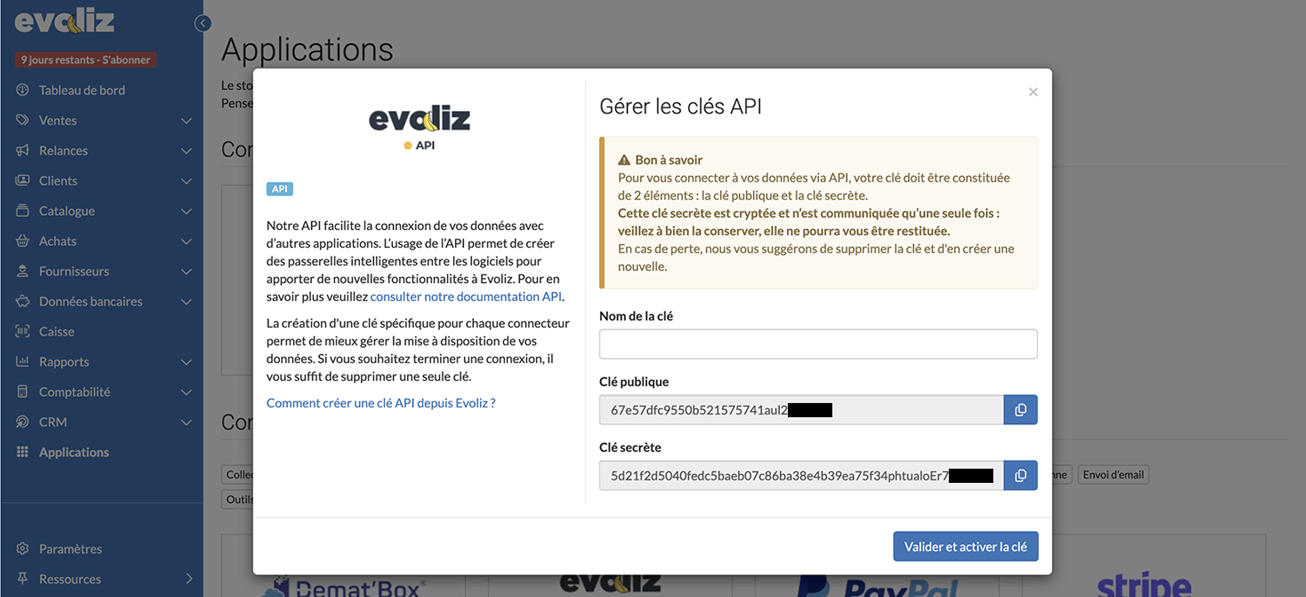
- Once you have copied both keys, click “Validate and activate the key”.
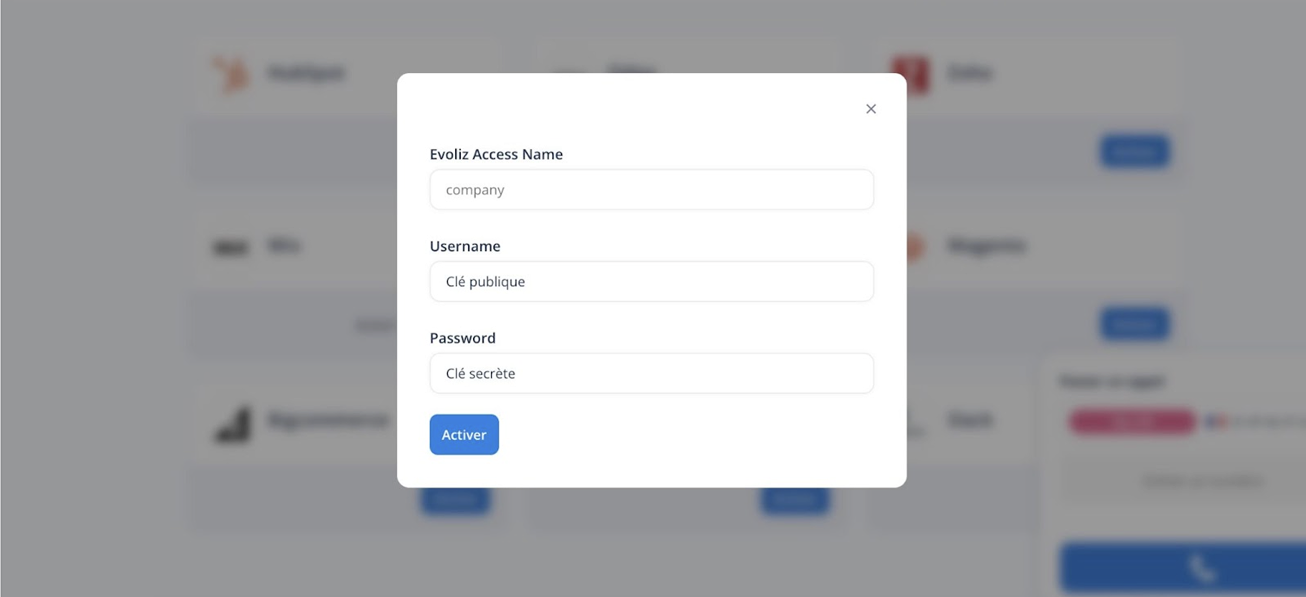
Ringover Talk will then ask you for the following credentials (example shown in the screenshot below):
- Username: Public Key
- Password: Secret Key
- Evoliz Access Name (available in Settings > General information > Company in your Evoliz account – see screenshot below)