
Configuring your ringtone allows you to personalize your notification experience to suit your exact needs. In this guide, you’ll learn how to select a new ringtone and set its duration before voicemail takes over.
Configure your incoming call ringtone
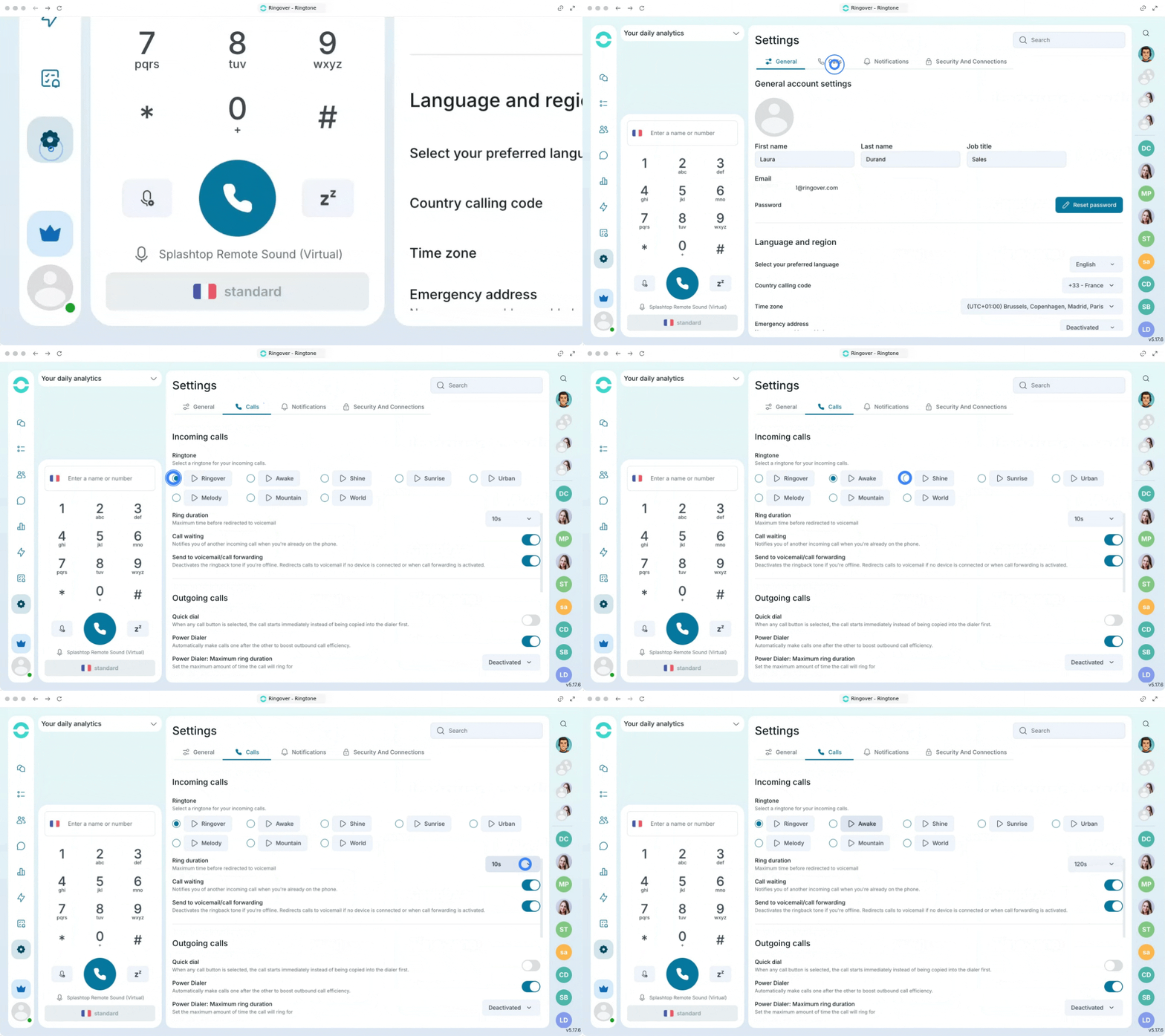
1. Set your ringtone
Navigate to your personal preferences to find the ringtone options.
- Go to your Ringover account.
- Click on "Settings" and go to the "Calls" section.
- Head to the "Incoming Calls" section.
- Click on the play icon to hear how the different ringtones sound.
- Click on the specific ringtone you want to set as your new tone.
You can choose how long the ringtone will play before the voicemail takes over. Simply select the duration from the dropdown list (up to 120 seconds).
🎉 You now know how to personalize your incoming call ringtone and can create a notification experience that perfectly suits your daily workflow!