
In this guide, you’ll learn how to connect phone numbers to your voice menus and manage them efficiently.
Assign your IVR phone numbers
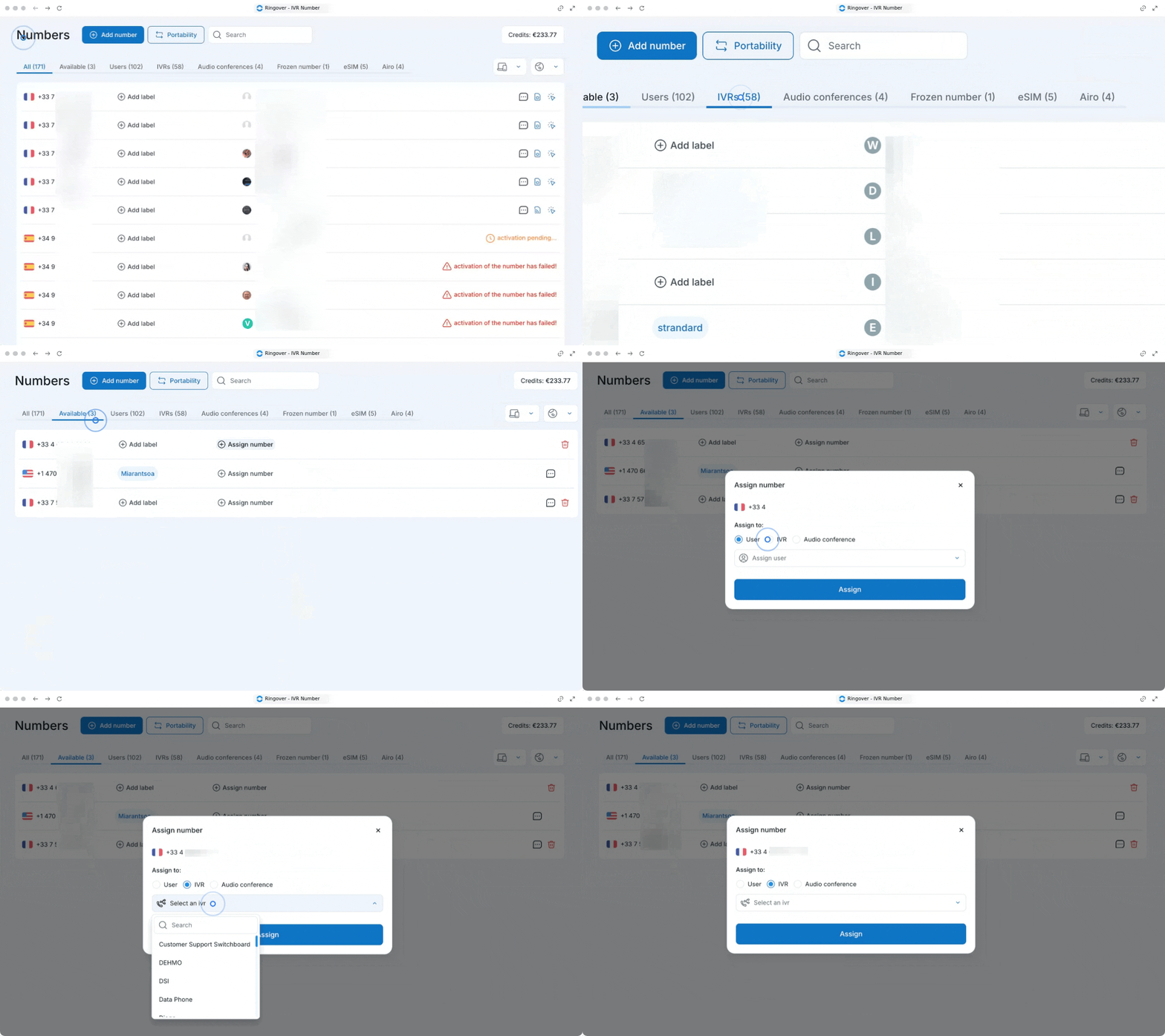
1. Assign a number from the Numbers page
Navigate to your numbers management settings to link a phone line directly to your active IVR.
- Go to your Numbers page.
- Go to your available numbers and click on "Assign number".
- Check the "IVR" box to link it.
- Choose the IVR.
If you need a new line, you can view your active IVR numbers or purchase a new one directly from this screen (How to add a number?)
2. Assign a number from the IVRs page
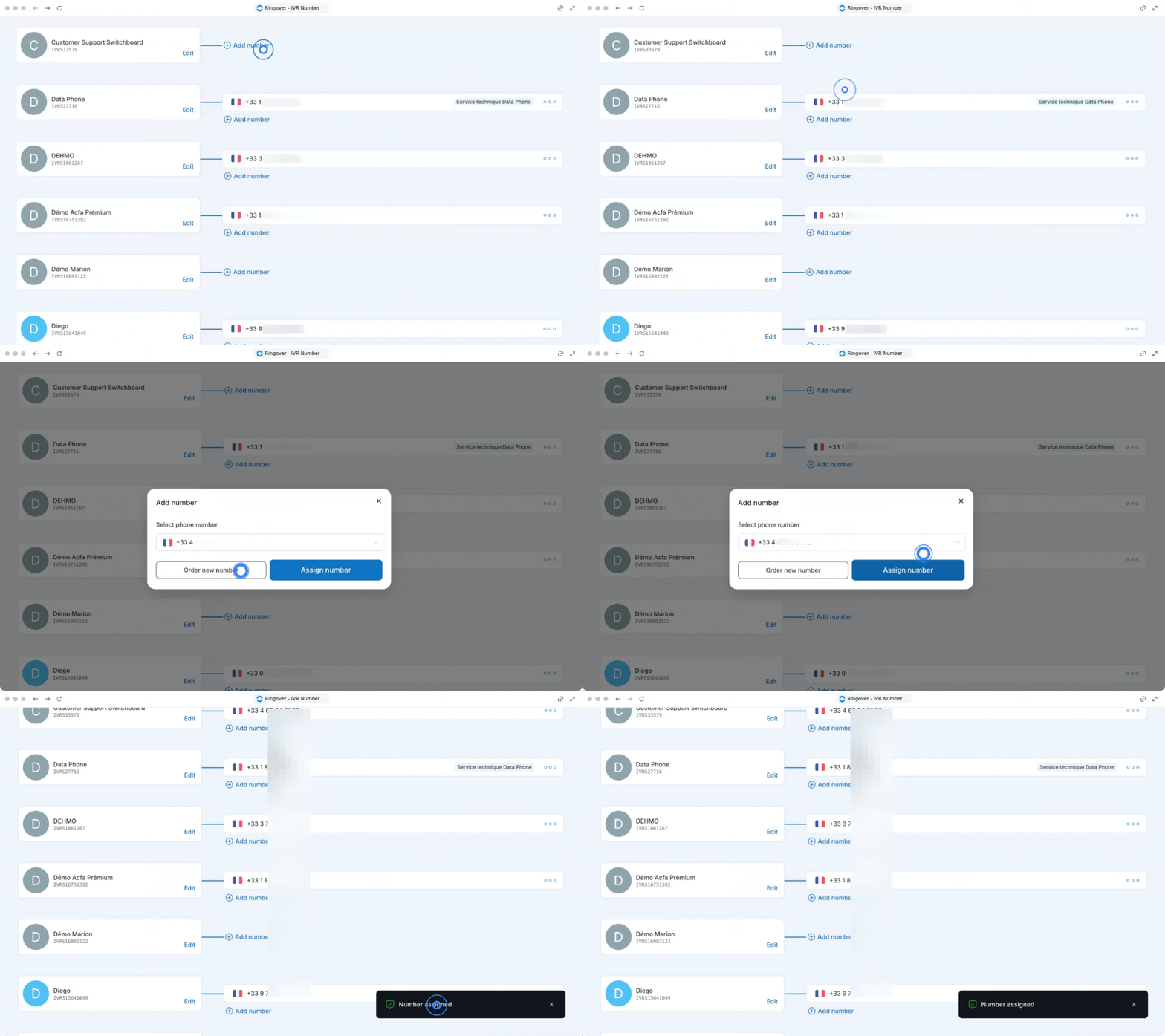
Alternatively, you can associate a phone number directly while modifying your voice menu configuration.
- Go to your IVRs page.
- Click on "Add number" next to the specific IVR you want to configure.
- Select an existing number from the options or choose to order a new one.
- Click "Assign number" to confirm.
3. Remove a phone number from an IVR
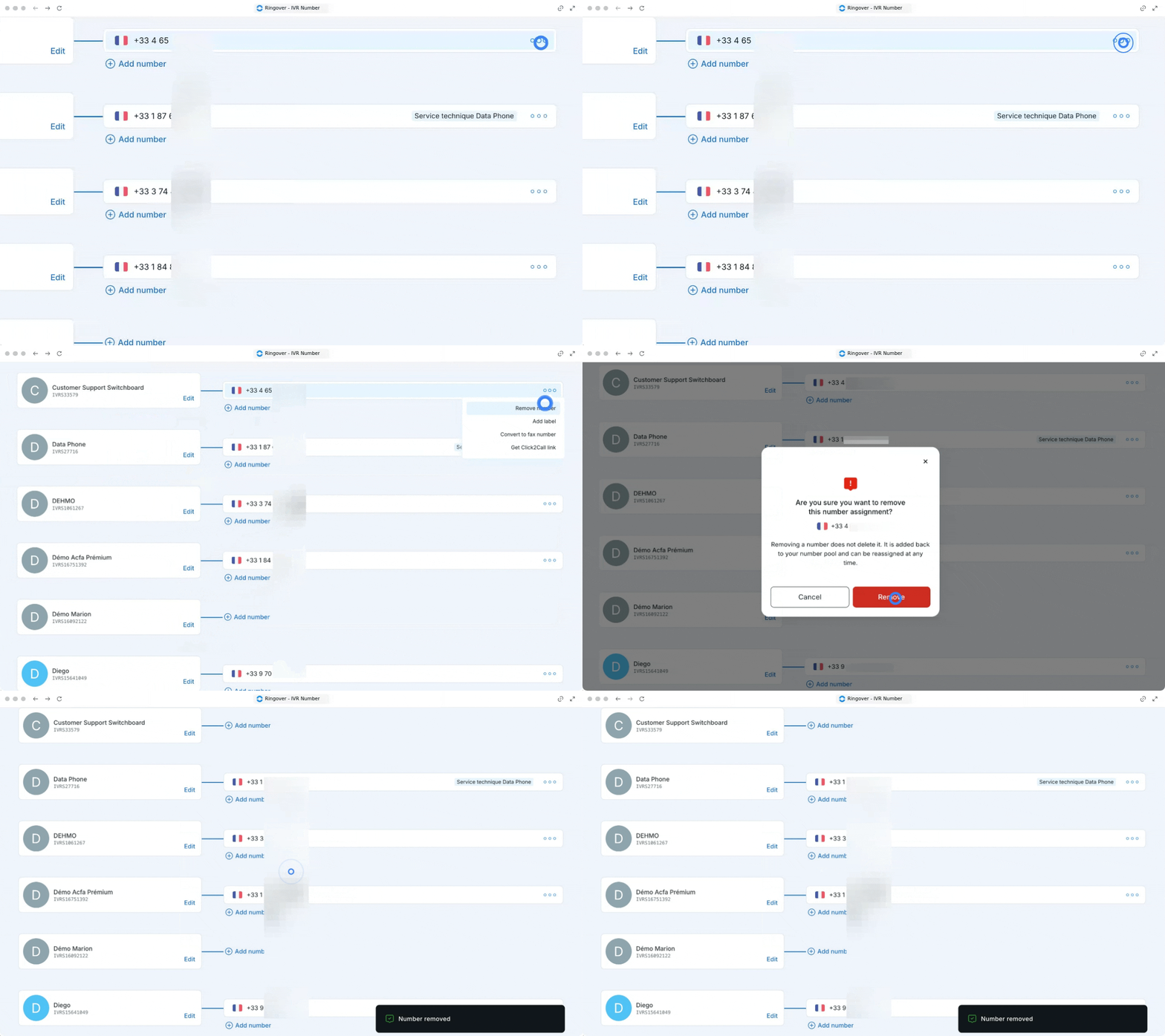
You can easily unlink a number if you need to reassign it or update your routing setup.
- Go to your IVRs page.
- Click on the three little dots next to the number you want to remove.
- Click on "Remove number".
- Confirm the removal.
🎉 You now know how to assign and manage your IVR phone numbers !