
Activating your microphone in Safari allows you to make seamles. In this guide, you’ll learn how to quickly grant the necessary permissions via pop-up or configure them manually.
Enabling your microphone in Safari
1. Allow Microphone access via Pop-up
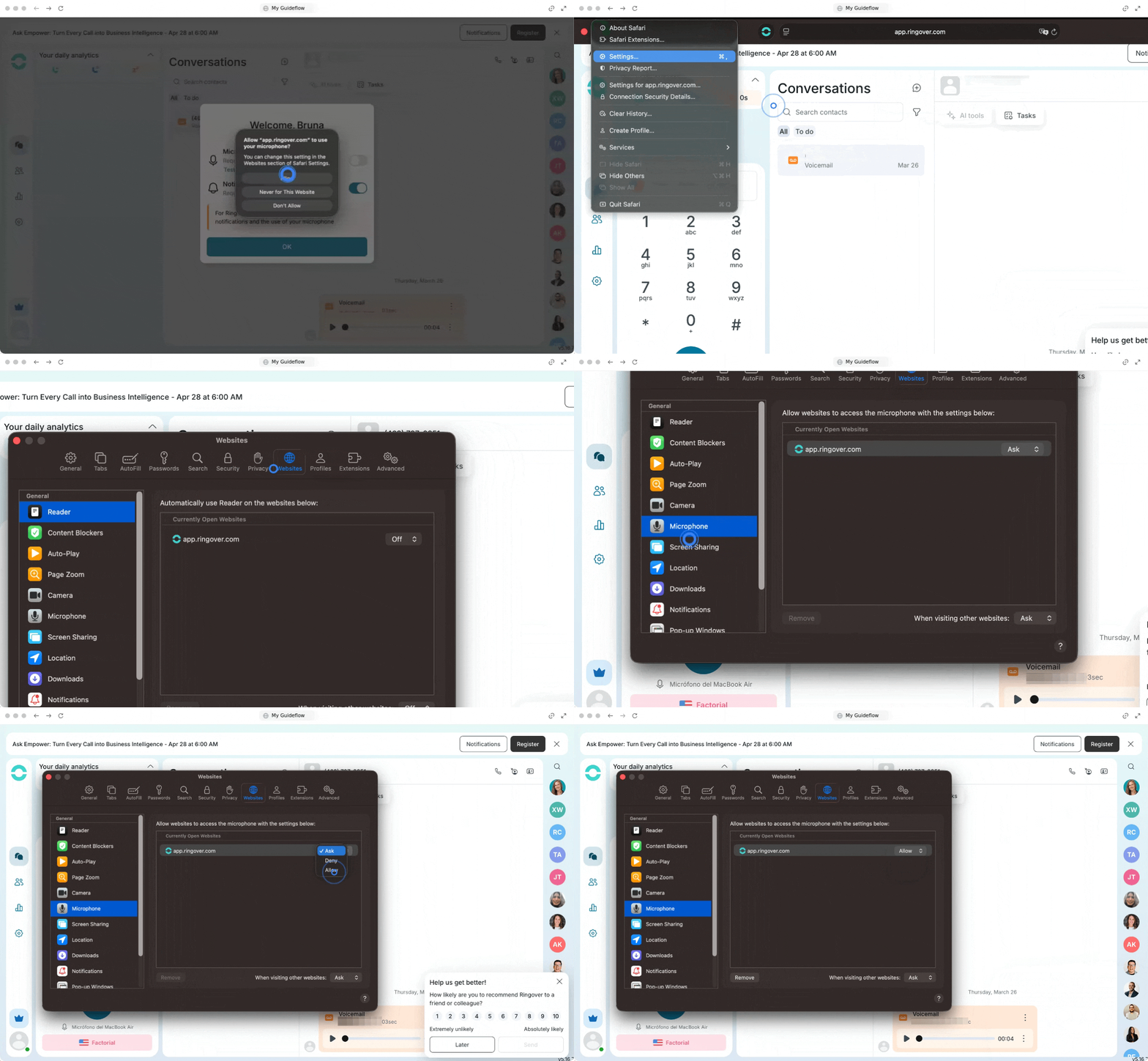
When you first access the Webapp, Safari will automatically request permission.
- Go to your Ringover Webapp.
- Wait for the permission message to appear at the top of the Safari window.
- Click on Allow to grant access.
2. Configure permissions manually
If you do not see the permission message, you can easily adjust the settings manually from your browser menu.
- Go to Safari in the menu bar.
- Select Settings.
- Navigate to the Websites tab.
- In the left menu, select Microphone.
🎉 You now know how to activate your microphone in Safari and can start making your calls effortlessly!