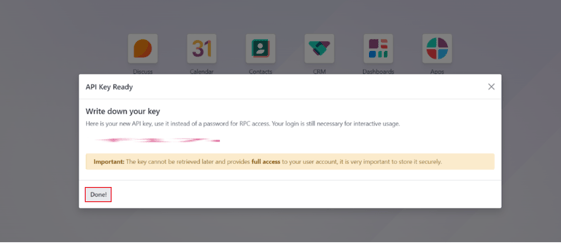
How to Generate the API Key in Odoo:
About: In Odoo, we can generate API keys that can be used for authentication purposes. A user can generate any number of keys based on their purpose and also delete keys if they are no longer needed.
Steps to generate an API key:
Let us see how to generate these API keys in Odoo
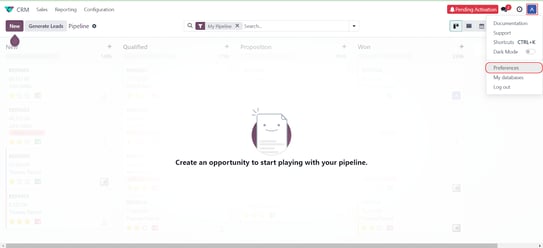
Step 1: On your Odoo account, Go to your profile icon, and then click on Preferences.
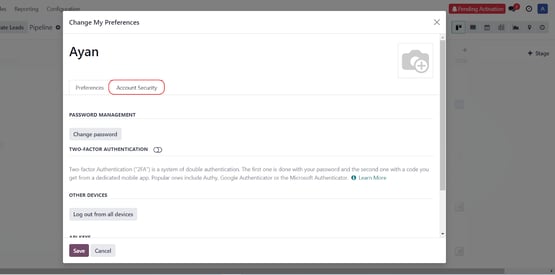
Step 2: Proceed to the account security section of the preference modal.
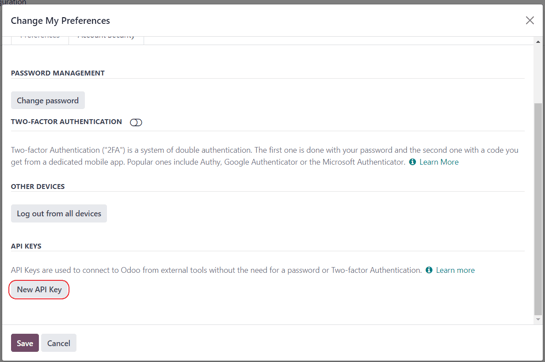
Step 3: Scroll down to the API Keys section and click the "New API key" button.
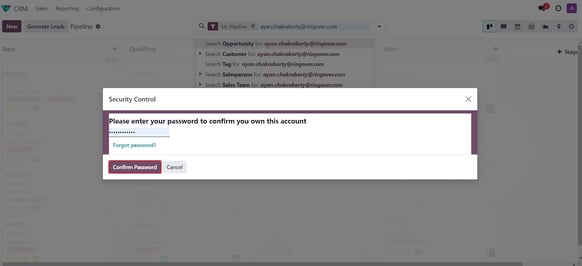
Step 4: It will ask you to confirm your password. Enter your password and click Confirm Password.
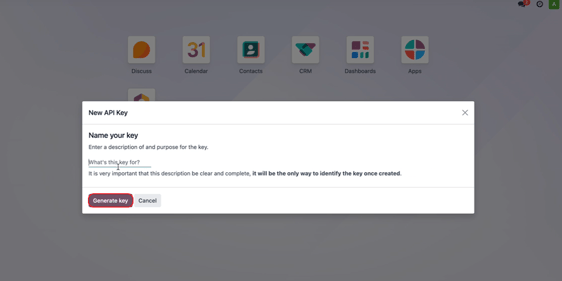
Step 5: After that, you need to enter the description for the key.
Click the Generate Key button.
Step 6: After generating the key, copy it and save it for later. Then click the Done button. Your API key will be generated.