Local presence numbers allow you to select a specific local phone number for your calls, which can significantly increase your response rate, especially in sales and business communications.
Prerequisites:
👉You must have a Ringover Advanced account to access this feature.
👉The feature must be activated by an administrator or account technician in Ringover.
👉You must have a Ringover Advanced account to access this feature.
👉The feature must be activated by an administrator or account technician in Ringover.
How to manage your local presence numbers
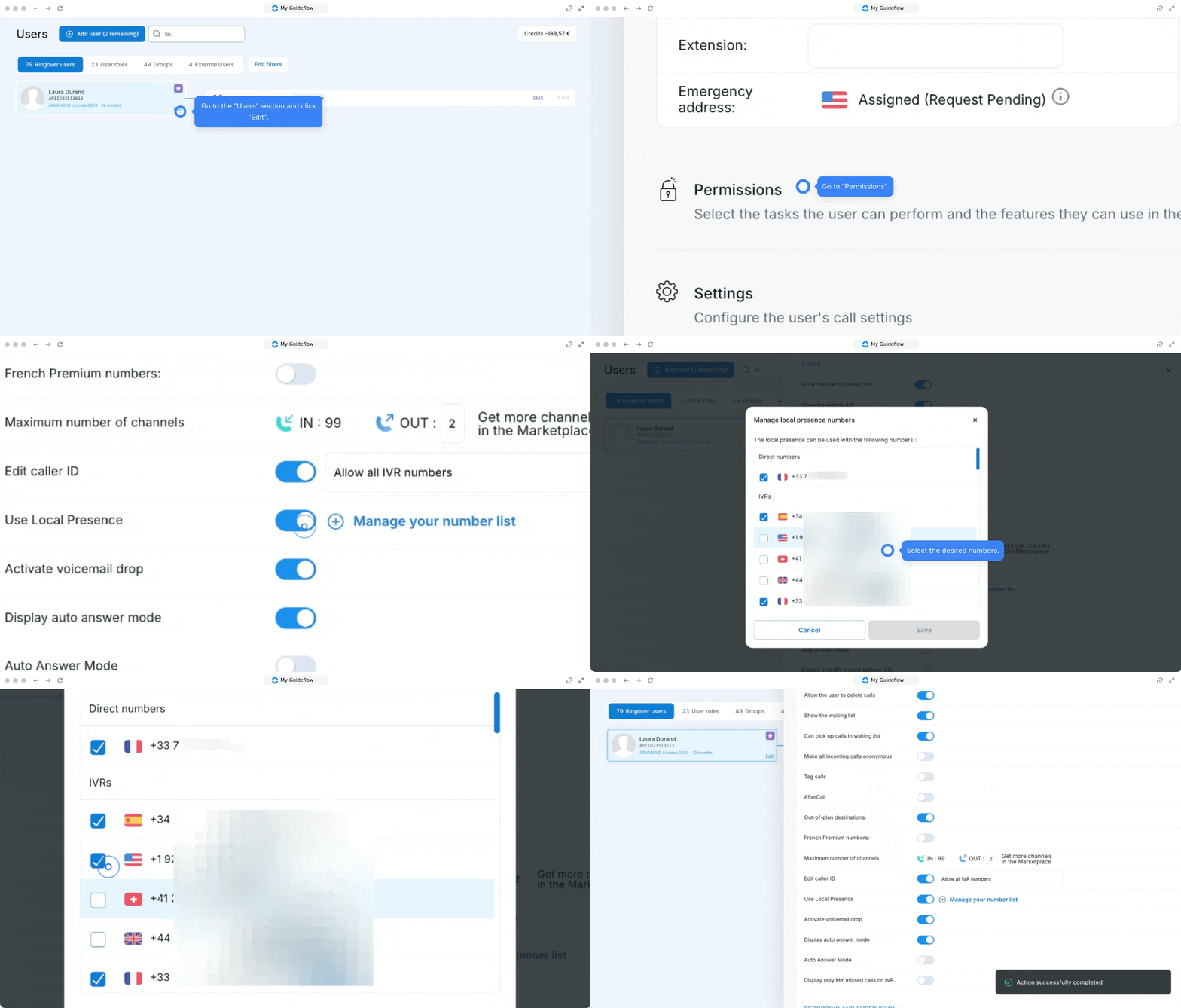
With Ringover, you have full control over your numbers. You can choose which numbers can be used for local presence:
Go to the "Users" section.
Click "Edit", then “Permissions.”
Under “Calls,” check the "Use local presence" option to enable management of your number list.
Click "Manage your number list".
Select which numbers can or cannot be used for local presence, then "Save".