
Ask Empower goes beyond simple conversation analysis by enabling deeper insights into performance and behavior. It helps you move from “What was said?” to “What drives performance?”
With Ask Empower, you can:
Analyze calls, video meetings, and conversations
Detect performance trends and skill gaps
Receive actionable coaching insights
Support use cases across sales, support, and recruitment
Work in multiple languages
Overview & how to use it
Key capabilities include:
- Cross-entity analysis (agents, contacts, accounts, groups)
- Performance and behavior insights
- Revenue intelligence signals
- Trend analysis and benchmarking
1. Accessing Ask Empower
- Click on the Airo icon in your Empower interface
- You can drag and reposition the panel using the dots on the right
- Access:
- Your pinned templates
- All shared templates (👉 How to create a template for Ask Empower)

2. Asking Questions
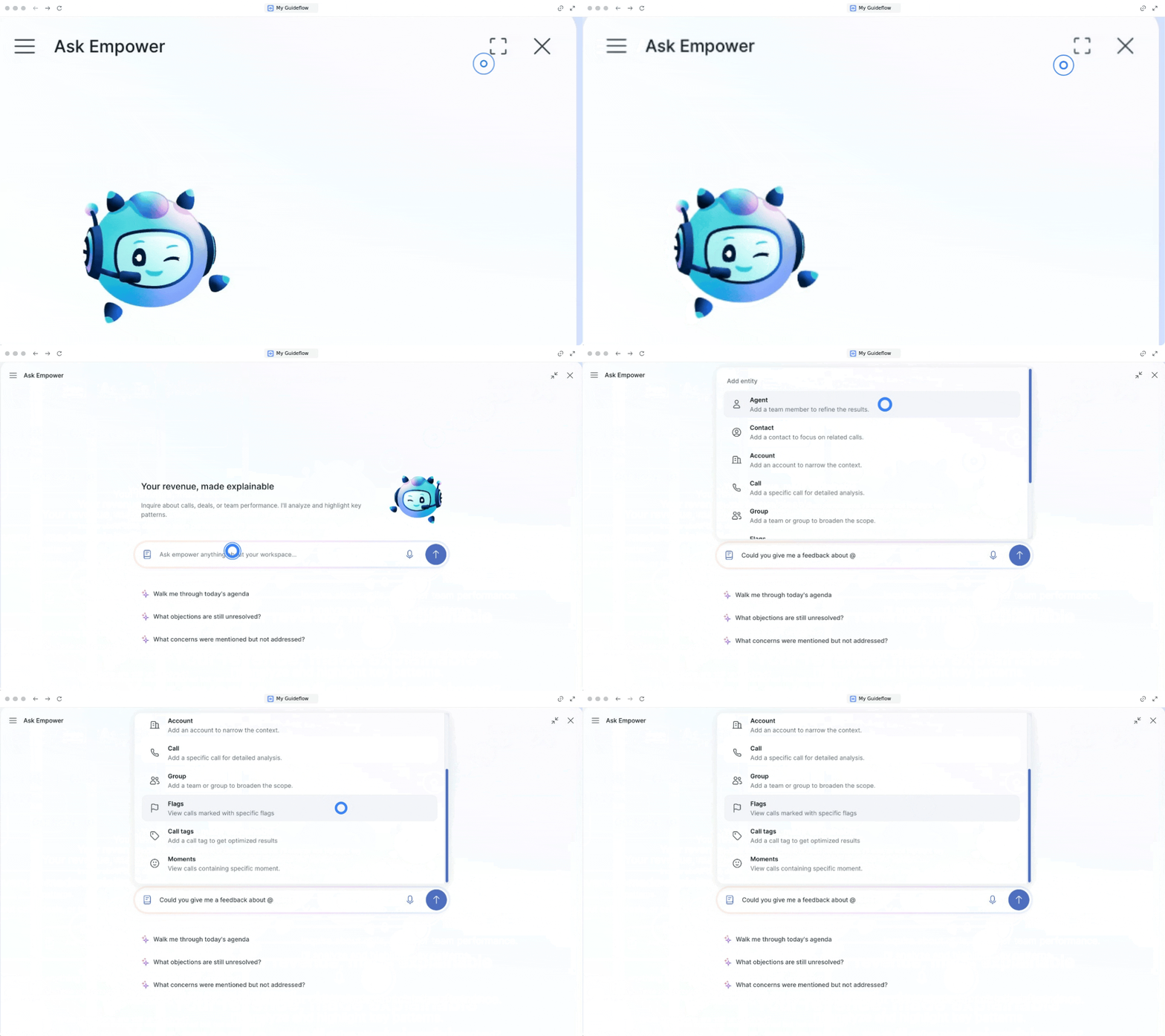
- Click the expand icon to open full-screen chat
- Use the input bar to ask questions about your calls and data
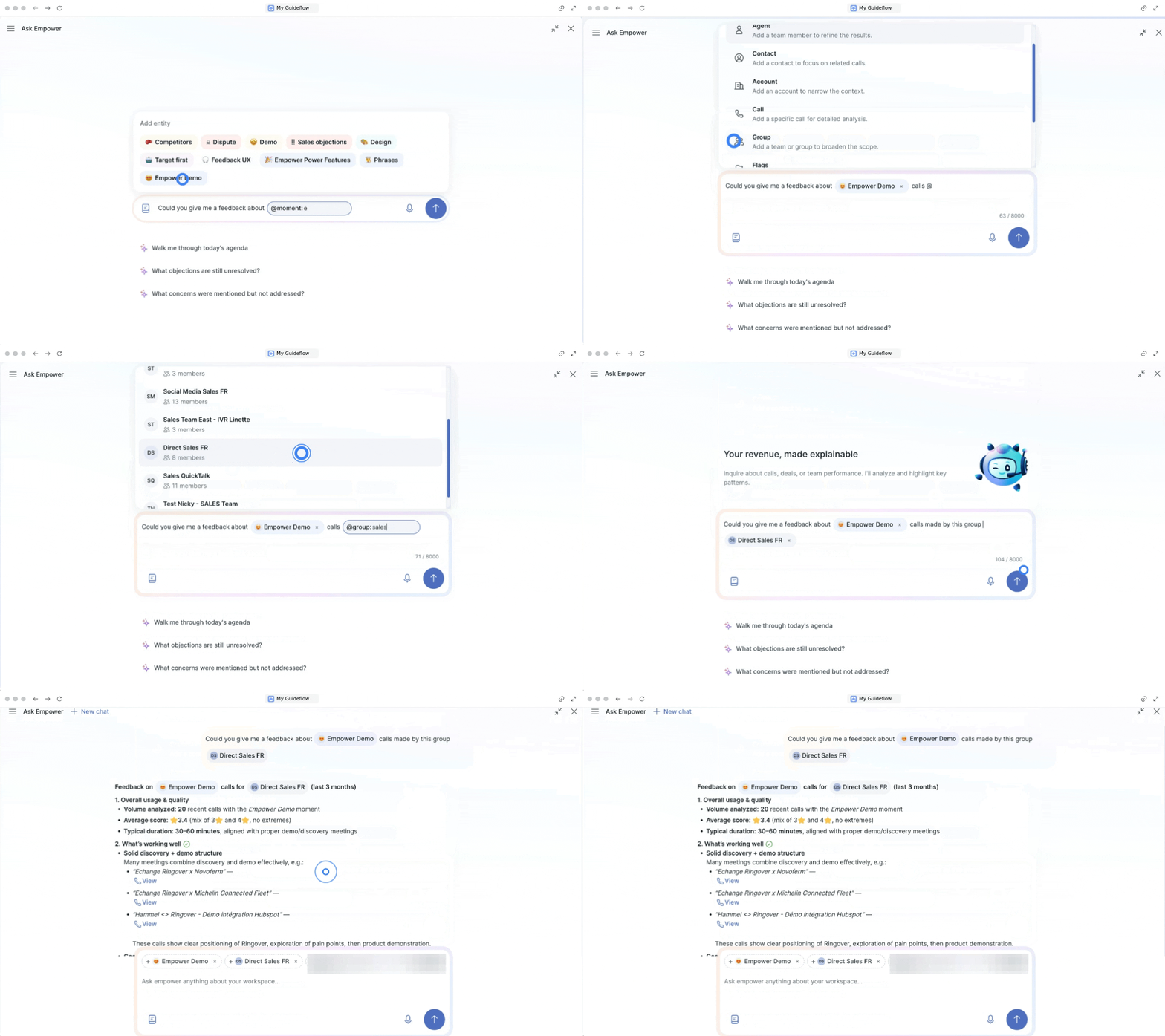
For more accurate and relevant answers, use “@” to tag specific entities: agents, contacts, accounts, calls, groups, flags, tags, moments
- Agents → Compare performance, skills, behaviors
- Contacts & Accounts → Analyze interactions and outcomes
- Groups → Evaluate team performance
- Moments & Flags → Identify patterns at scale
Common use cases
- Track month-to-month performance evolution
- Compare team members’ skills and performance
- Identify coaching opportunities
- Analyze objections and trends at scale
Example queries
Use natural language, such as:
- “Compare performance between two agents”
- “What are the main objections this month?”
- “Analyze calls for a specific account”
Example:
“Could you give me feedback about (@moment 👉 How to create a moment) calls made by this group (@group 👉 How to create and manage your groups)?”
3. Analyzing results
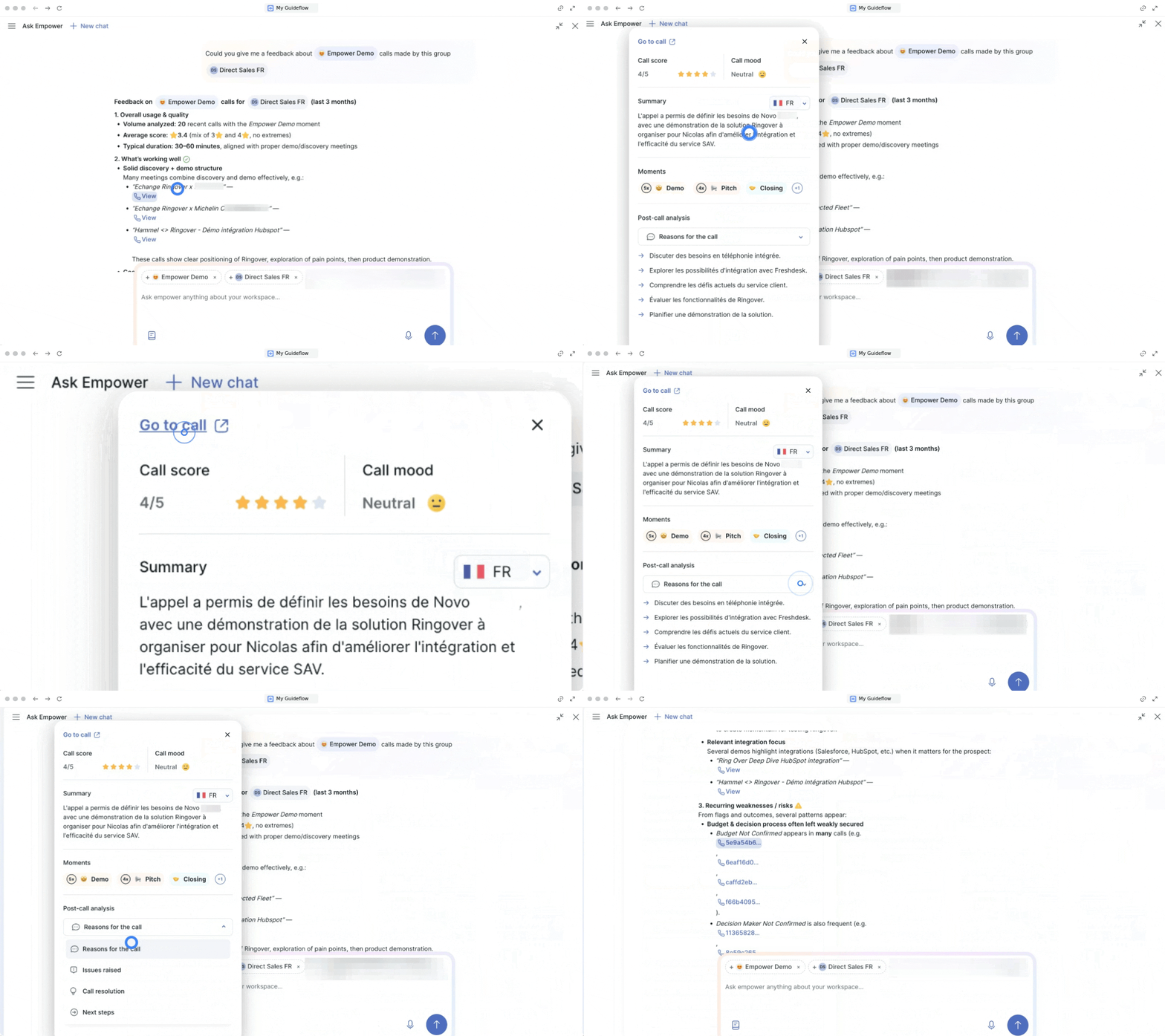
Ask Empower provides summarized insights, performance comparisons, trends and patterns, as well as actionable recommendations.
Additional Features
You can also:
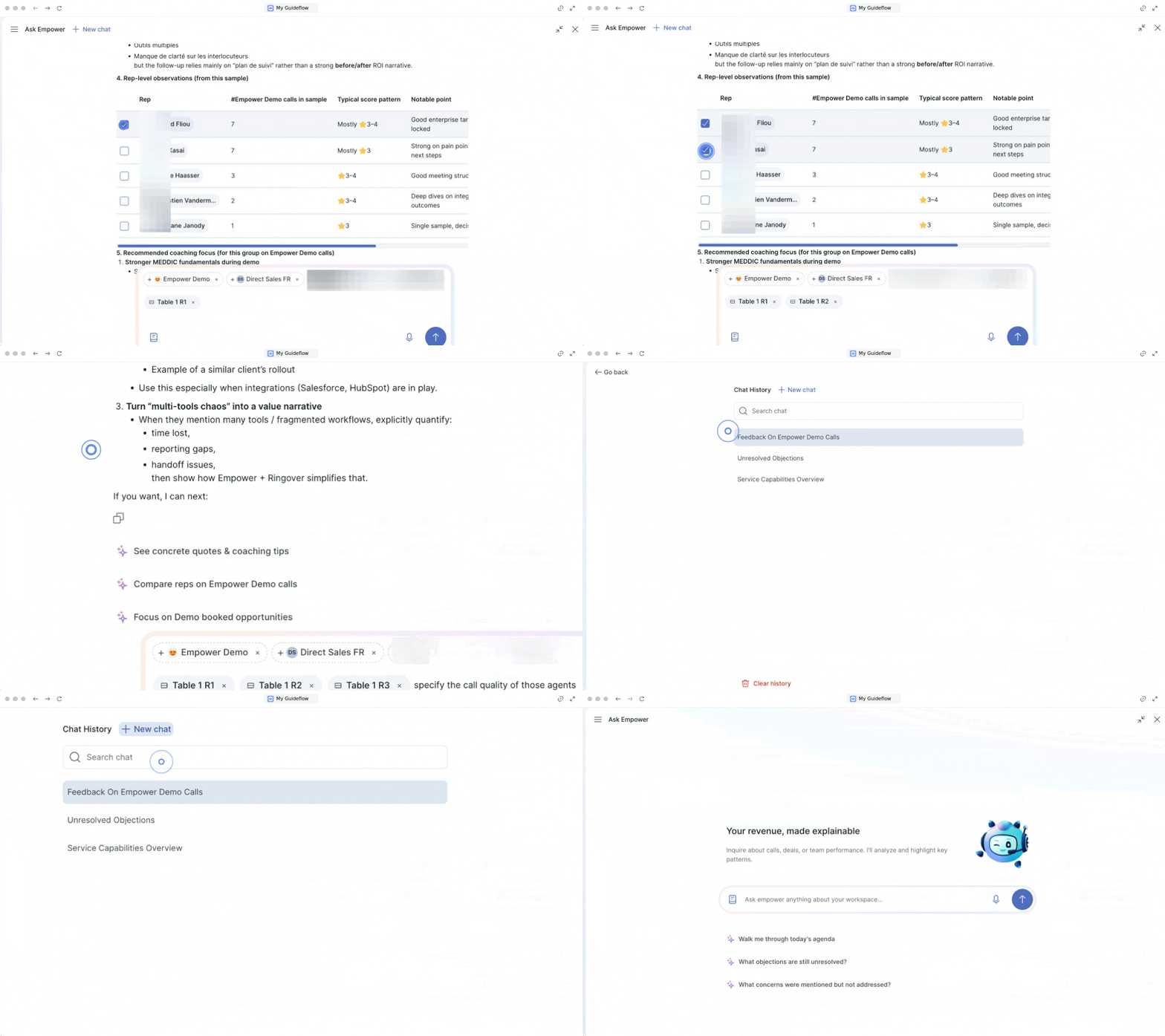
- Copy responses
- Refine your queries
- Pin important conversations
- Access chat history (with option to delete)
- View related calls
Use Cases by role
Sales Manager
Team oversight & rep development
“A sales manager reviews 3× more calls in the same time, with AI surfacing what matters — not gut feel.”
| User Question | Platform Value |
|---|---|
| Drill into objections by type over 3 months — which are most common? | Strategic insight for enablement |
| Compare top performer’s demo script with the team — show 3 key differences | Best practice identification at scale |
| Generate a personalised coaching plan for March — 2 objectives per week | AI-generated structured coaching |
| What deals have budget identified but no next steps in the last 7 days? | Pipeline risk detection |
Support Team
Issue detection & quality analysis
“Support managers stop firefighting and start pattern-matching — fixing root causes, not individual tickets.”
| User Question | Platform Value |
|---|---|
| Analyse the last 50 onboarding calls — what are the recurring client irritants? | Systemic issue detection |
| Show calls with Pain/Challenge tag where customers expressed frustration | Churn risk identification |
| What are the main features requested by clients this week? | Voice of Customer insights |
Recruiter
Candidate intelligence & ATS integration
“Recruiters stop relying on memory and start making decisions based on structured conversation intelligence.”
| User Question | Platform Value |
|---|---|
| Summarize all my calls with this candidate — key strengths and red flags | Candidate profile generation |
| Which candidates mentioned salary expectations above our range? | Compensation signal extraction |
| Generate a candidate summary in the client’s language for ATS upload | Automated structured notes |
🎉 You can now analyze, compare, and improve performance at scale using AI.