
This article provides a step-by-step guide on how to build and optimise a corporate knowledge base. A well-structured corporate knowledge base is an invaluable tool for organising company-specific documents and streamlining information access. The following guide outlines how to effectively navigate your knowledge base, upload diverse resource types, and manage external integrations.
Navigating your knowledge base
1. Knowledge base Airo
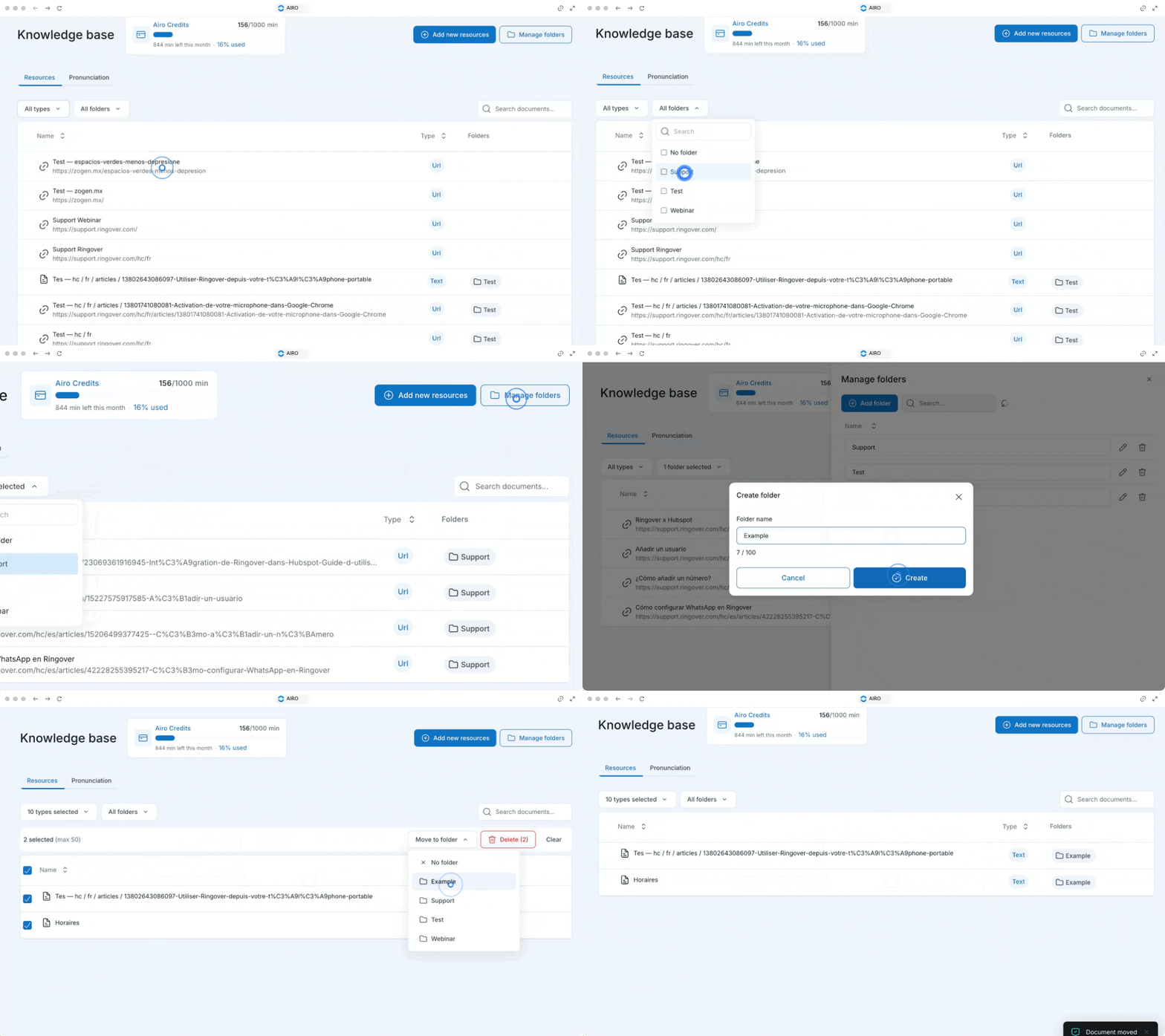
To begin populating your system, you must first go to the knowledge page.
This central hub allows you to manage all your company-specific documents.
To easily locate existing materials or see what is missing, you can filter your materials by the type of file, such as URLs, files, plain text, and Q&As.
You can create folders to organise your resources.
2. Adding new resources
When you are ready to expand your database, simply click on "add new resources" and choose the specific type of resource you wish to add. The system supports several versatile formats:
New Page (URL): You can add web pages by simply entering the document name alongside its corresponding URL.
File: If you have standalone documents, you can conveniently drag and drop a file directly into the system.
Plain Text: For direct text entries, you can enter a name and paste the text content directly, which supports up to 10.0 million characters.
Q&A: You can manually create Question and Answer pairs by entering the resource name, the question, and the answer. Notably, you can enhance these Q&A entries using AI to improve their clarity and helpfulness.
Audio: The audio will be transcribed and indexed as a knowledge base document.
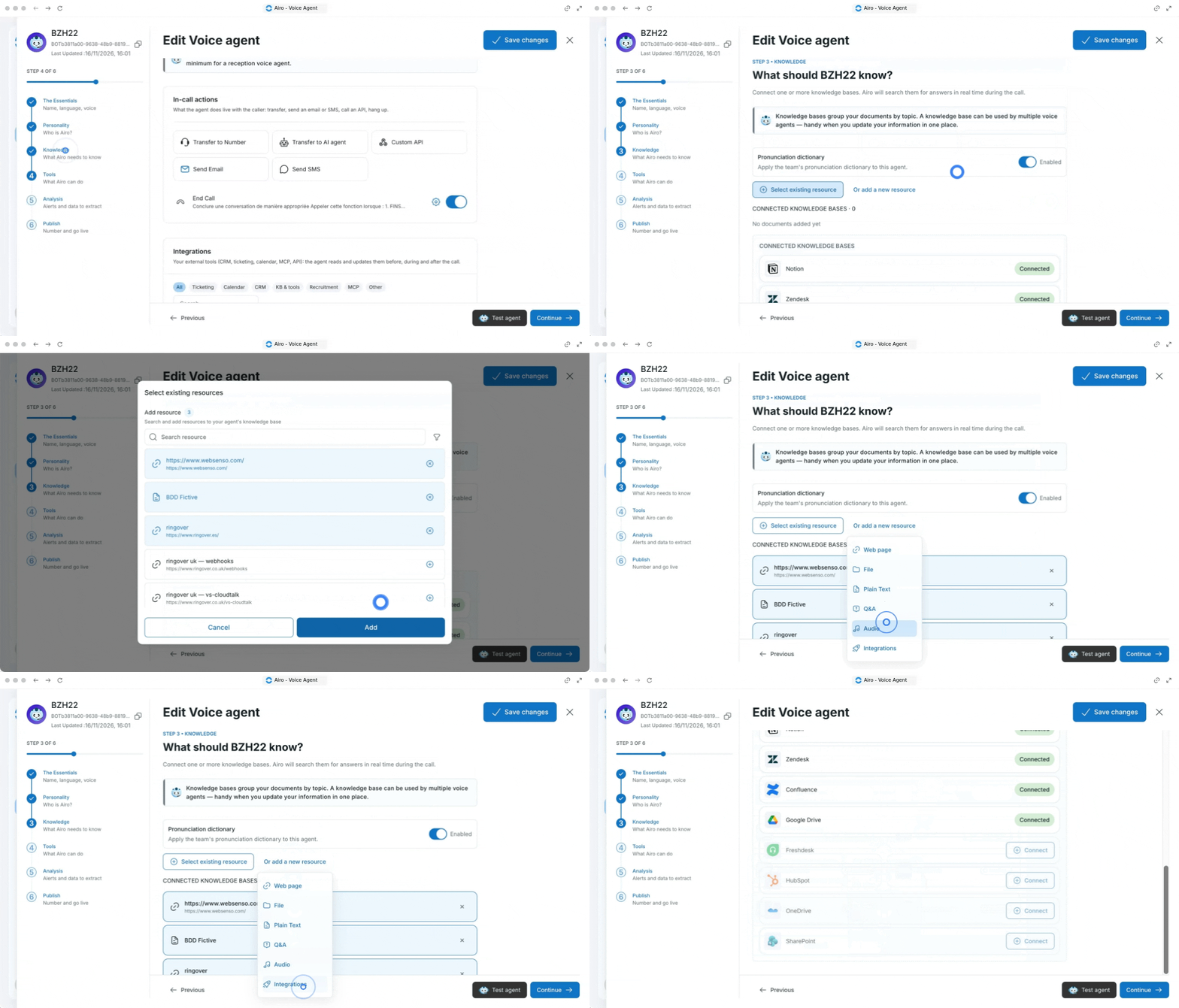
Integrations: Connect to other solutions such as Zendesk, Notion, confluence, Freshdesk and Hubspot.
3. Managing resource associations
- Beyond manually uploading files and text, you can seamlessly connect your knowledge base to external tools.
- By navigating to the integrations section, you can select and add connections to popular platforms such as Notion, Zendesk, and Confluence.
- Once your resources—whether uploaded manually or synced via integrations—are added to the knowledge base, you have full control over their active status.
- You can easily associate or disassociate any added resource as needed to ensure your knowledge base remains relevant and up to date..
- In the voice agent set up you can enable the option "Pronunciation dictionary" in order to apply the team's pronunciation dictionary to this agent.
4. Pronunciation dictionary
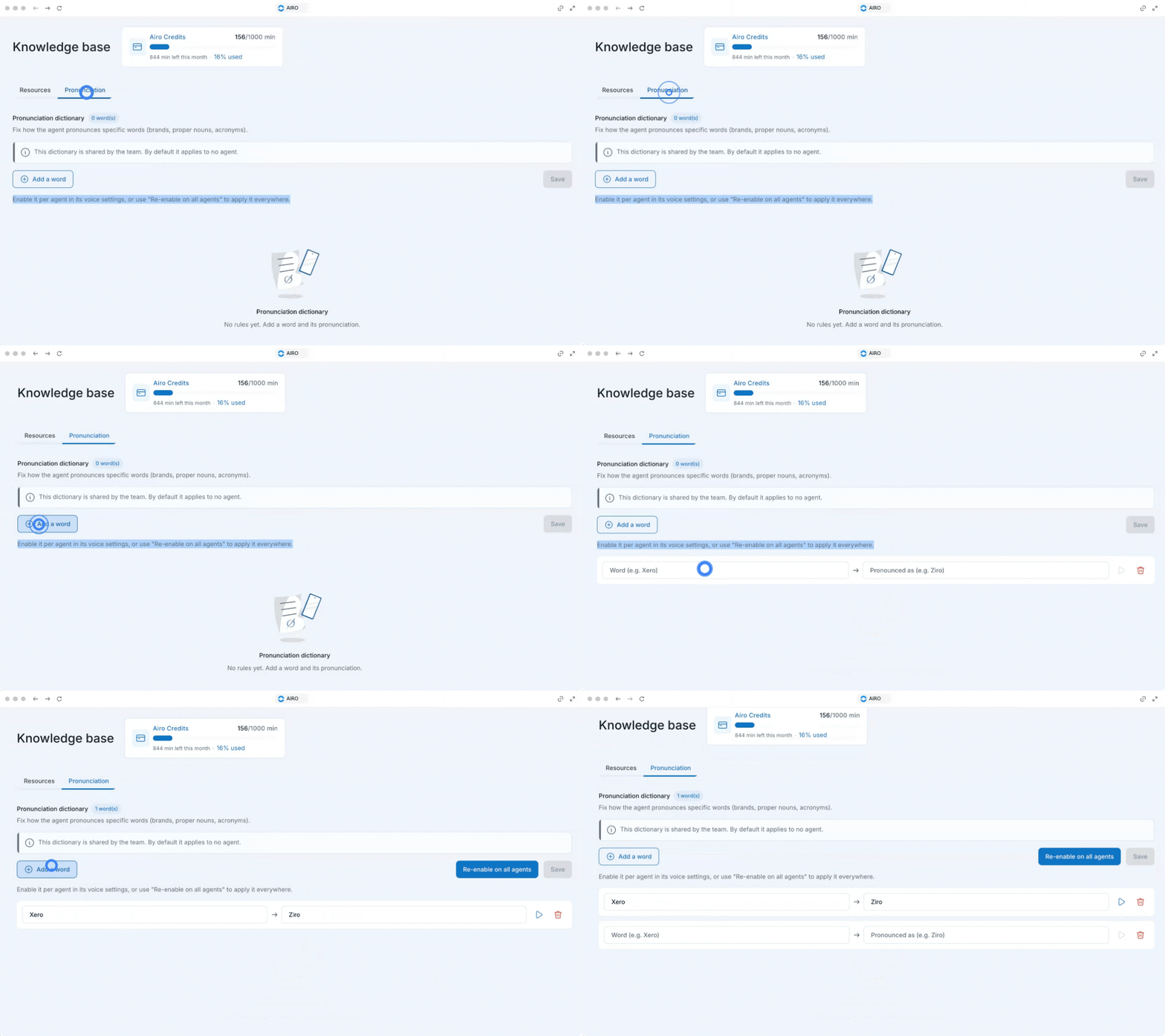
- Fix how the agent pronounces specific words (brands, proper nouns, acronyms).
- Enable it per agent in its voice settings, or use "Re-enable on all agents" to apply it everywhere.
- Listen and/or remove the word.
🎉 That's it! Now you know how to manage your AIRO knowledge base.