
The Ringover Marketplace allows you to easily browse and purchase certified equipment for your team. In this guide, you’ll learn how to find and buy headsets and SIP phones directly from your account.
Purchase Hardware from the Marketplace
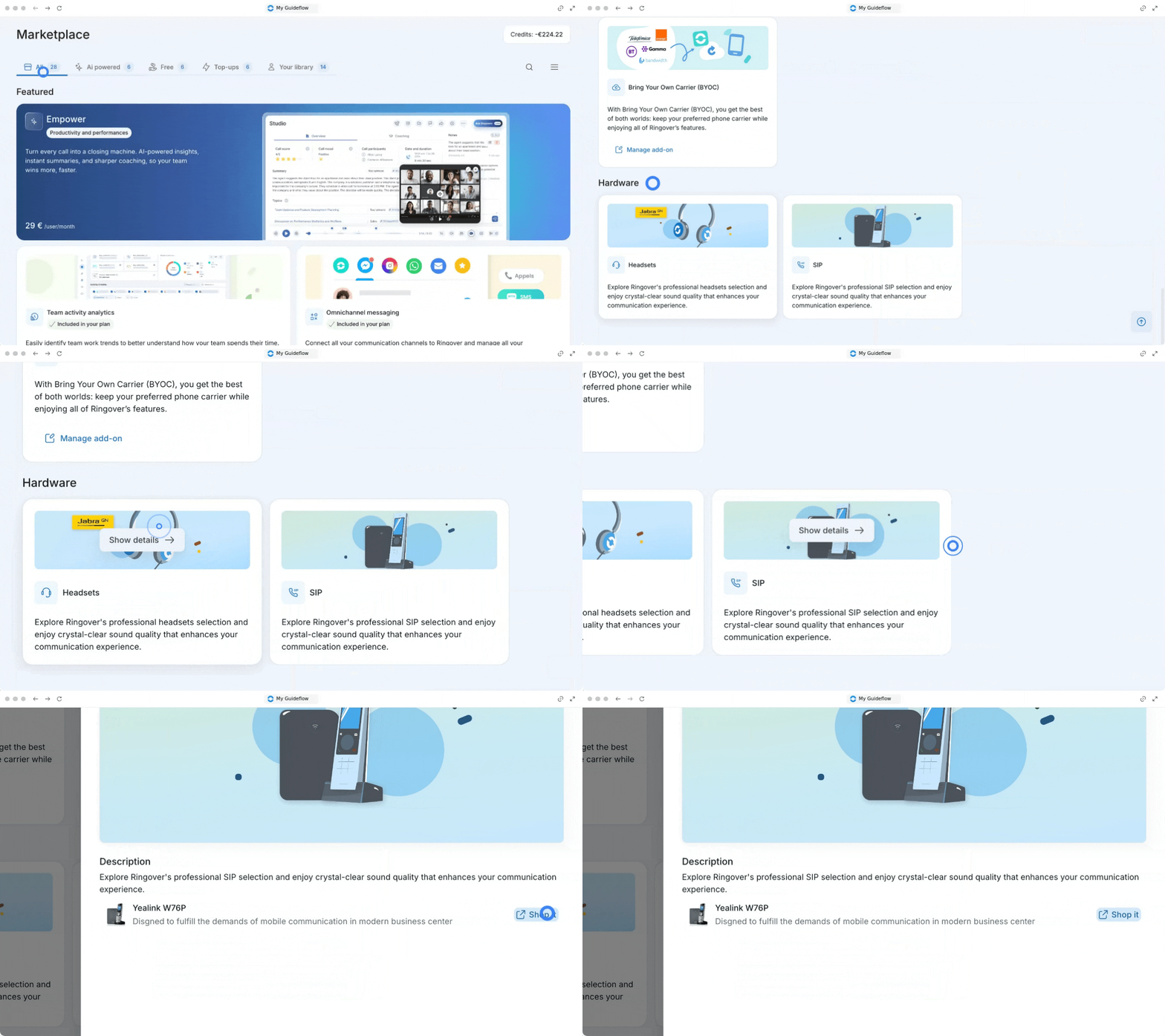
1. Access the hardware section
Start by navigating to the marketplace to find all available equipment.
- Go to the Marketplace page.
- Scroll down to the bottom to find the Hardware section.
Buy Headsets
You can easily explore and purchase high-quality headsets for your communication needs.
- Click on Show details in the headsets block.
- Choose your preferred headset.
- Click on Shop it. Clicking "Shop it" will automatically direct you to the official website where you can securely complete your purchase!
Buy SIP Phones
If your team prefers physical desk phones, you can find certified SIP devices using the exact same process.
- Click on Show details in the SIP phones block.
- Choose your preferred SIP phone.
- Click on Shop it to be directed to the purchasing website.
🎉 You now know how to navigate the hardware marketplace and can equip your team with the best devices!