
Step 1: Create an application
💻 Log in to your okta account, navigate to the “Applications” menu and choose “Create App Integration”: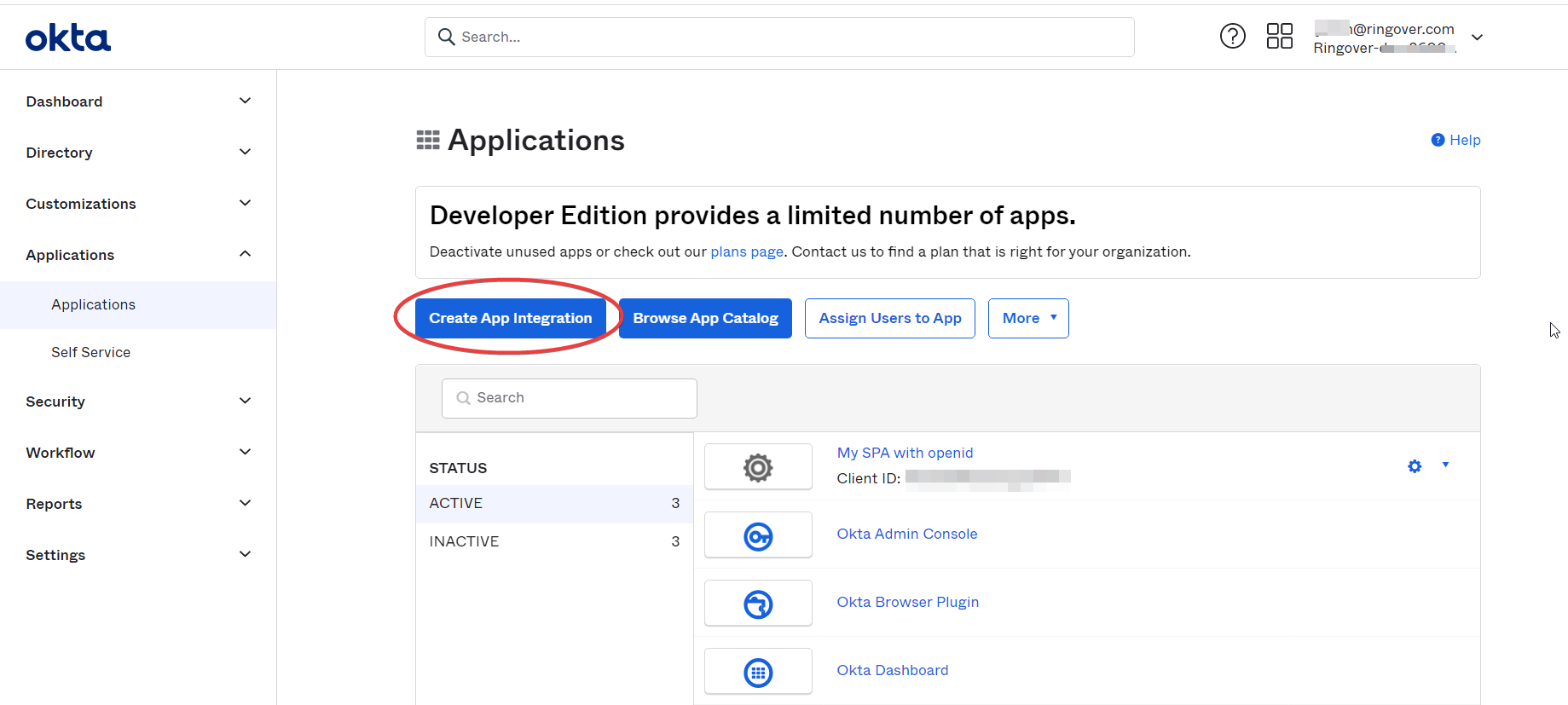
Select “SAML 2.0” and click "Next":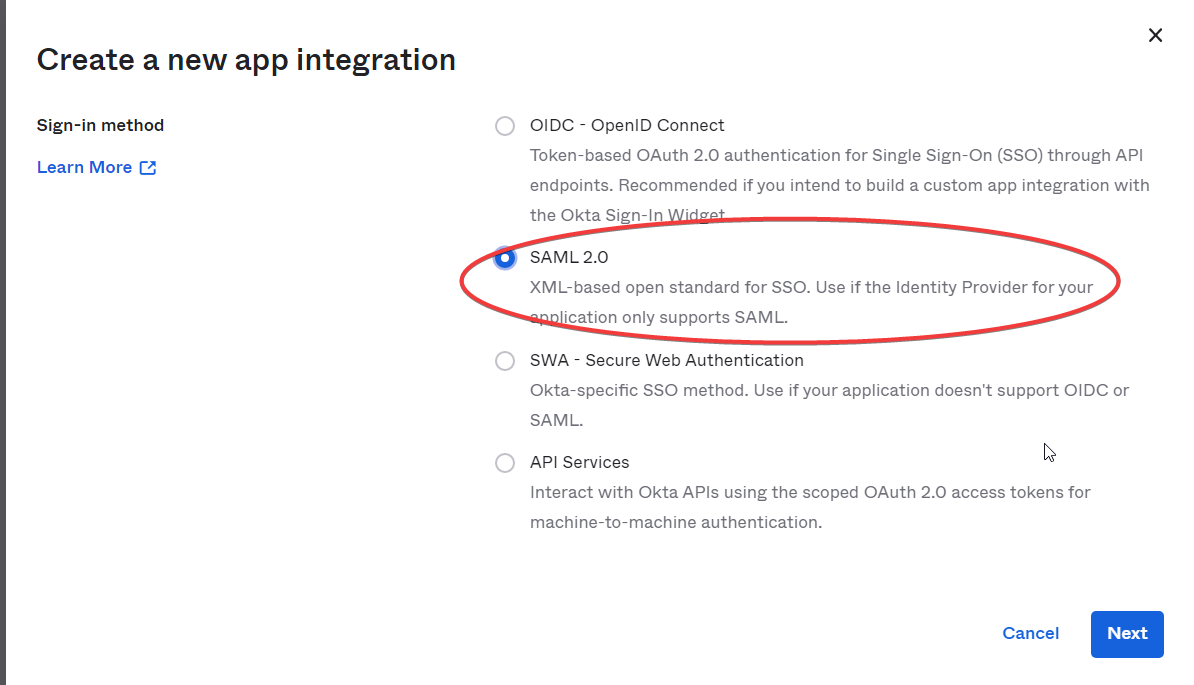
Copy/Paste the following URL in the “Single sign on URL” and “Audience URI” fields:
“Single sign on URL” : https://auth.ringover.com/ssp/module.php/saml/sp/saml2-acs.php/saml2
"Audiance URI" : https://auth.ringover.com/ssp/module.php/saml/sp/metadata.php/saml2
And the following URL in the “Default RelayState” field: https://auth.ringover.com/sso/?aid=saml2
And Change “Name ID format” to “EmailAddress”: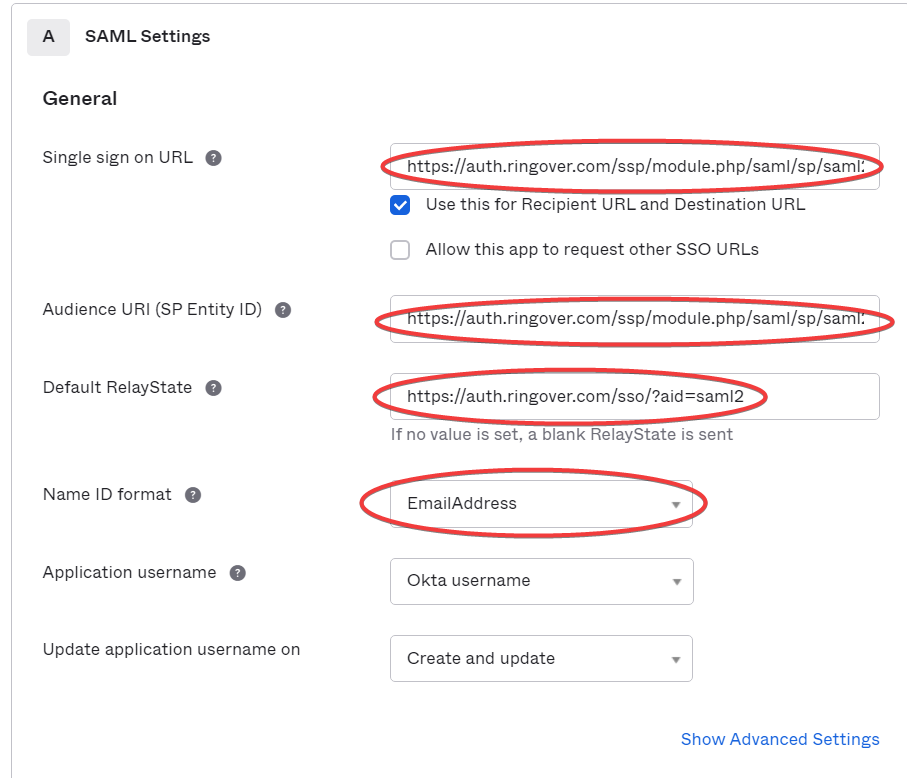
Then choose “I’m an okta customer…” and “It’s required to contact the vendor….”: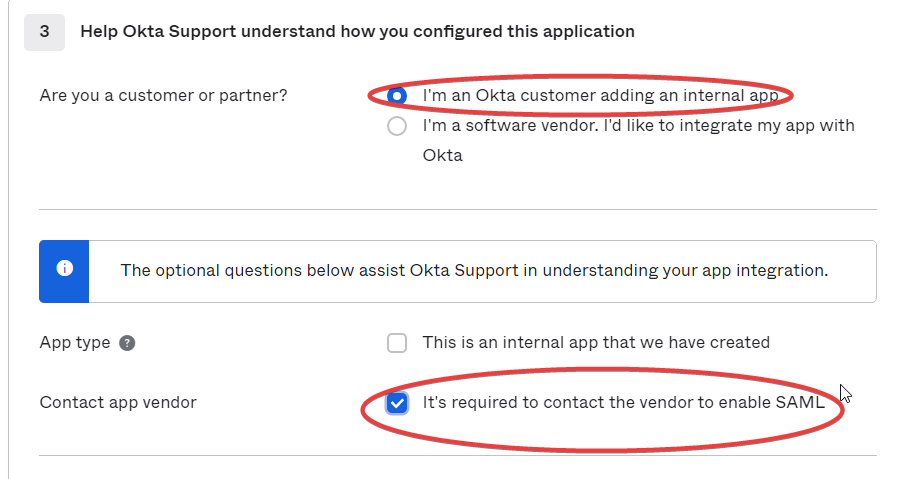
Step 2: Configure SSO
Navigate to the “Sign-On” tab of your app and click “View Setup Instructions”: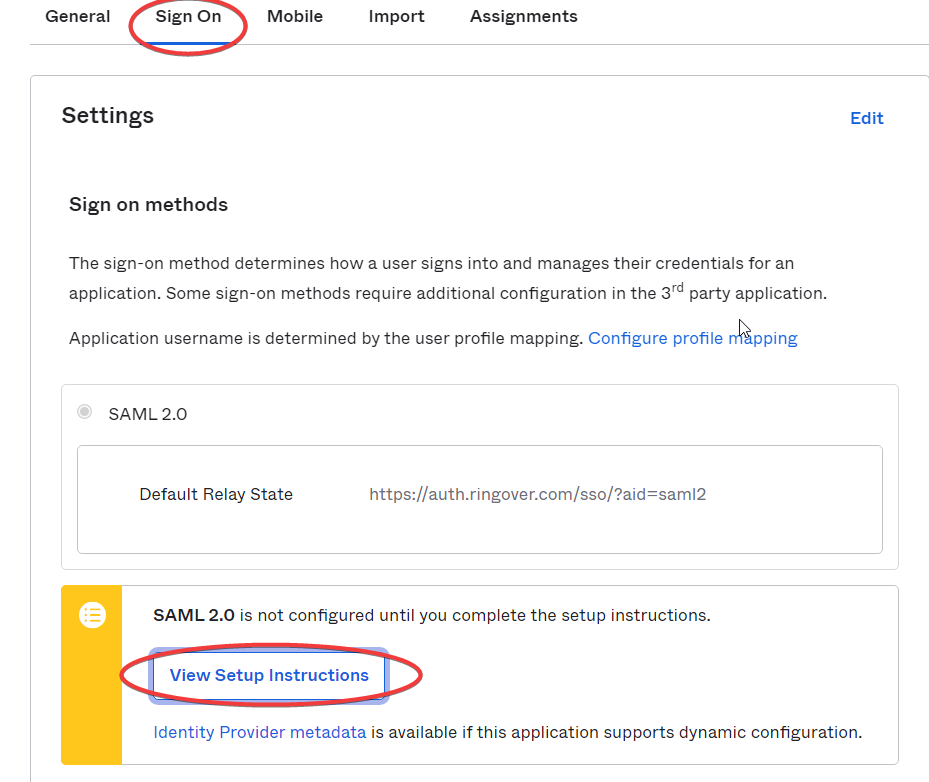
Copy the content of the “Optional” textbox: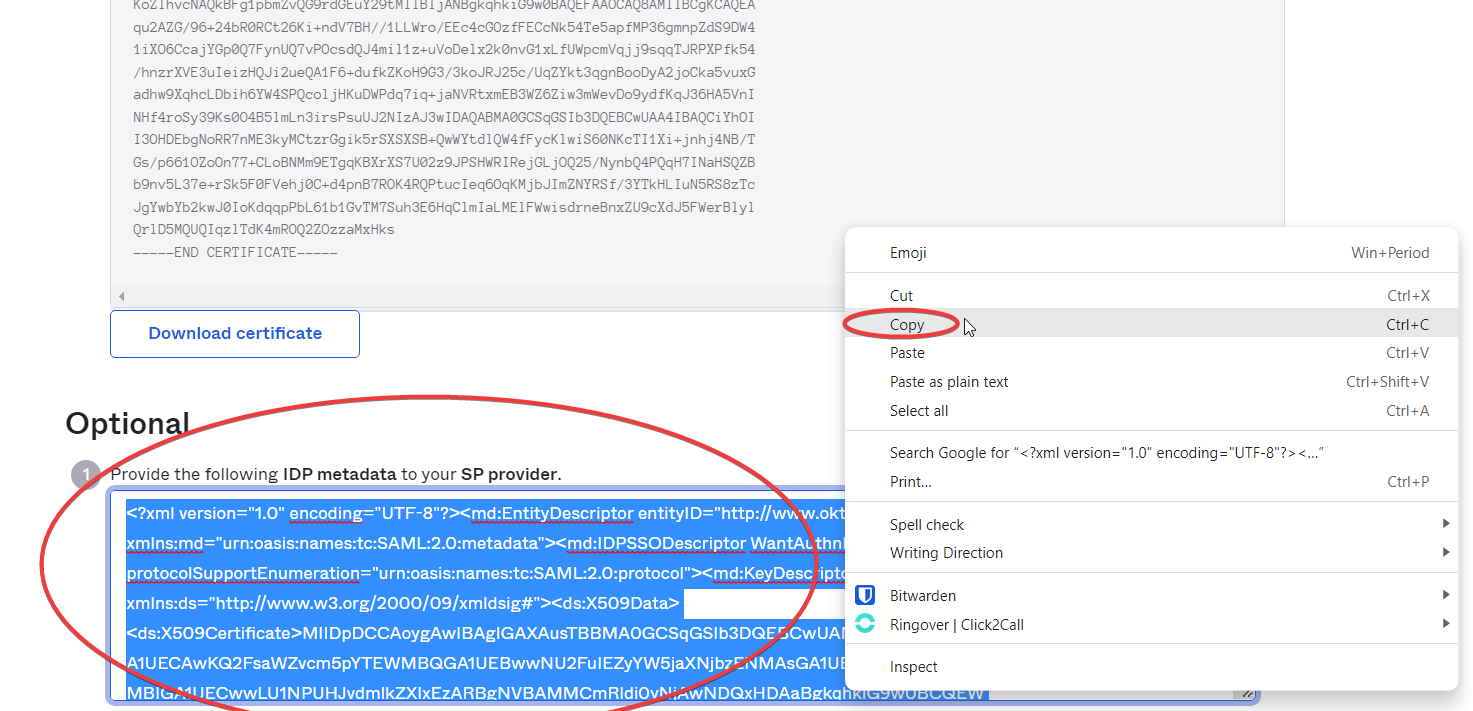
Add paste it in a notepad file. Save it as an XML file: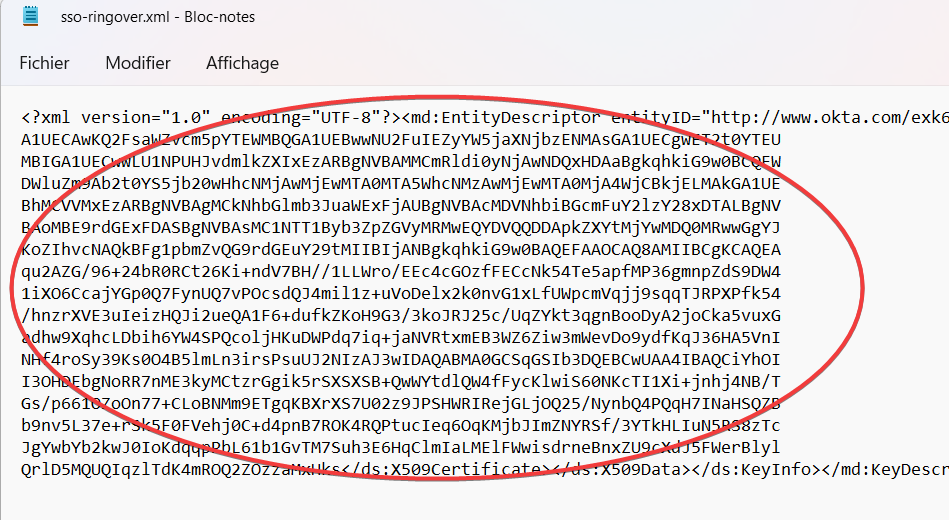
Send the file to support@ringover.com. 📧
Once our engineers import the file on our servers, the trust relationship will be established between your Okta environment and Ringover. 😃
Step 3 : Add users
Navigate to the “Assignments” tab and click “Assign”: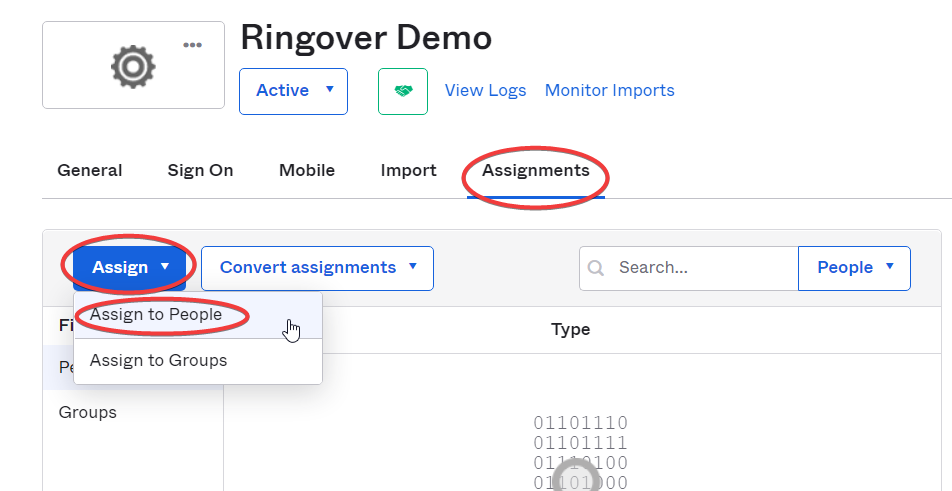
Select the users 👤 you want to add: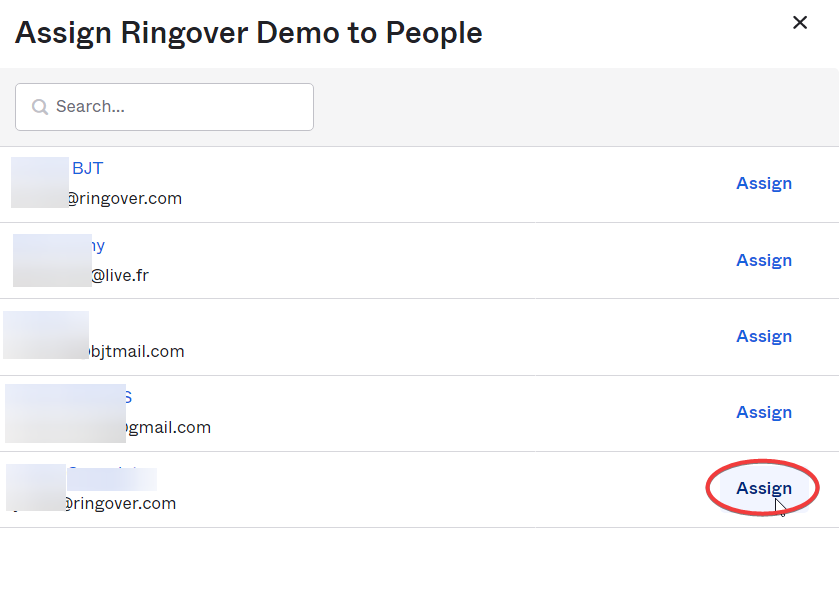
That’s it! Your users will be able to open the Ringover app in one click from their Oktaportal without having to provide their Ringover credentials! 🎉