
The Ringover integration with Zoom allows you to automatically pull up video meeting data and download call recordings directly in Ringover. In this guide, you’ll learn how to activate the Zoom integration, map users across both platforms, and troubleshoot missing recording logs.
Prerequisites
- An active Ringover Business account.
- Administrative permissions on your Ringover Dashboard.
- An administrator account in Zoom.
- A paid Zoom account to enable the meeting recording download link retrieval feature (free user accounts associated with the paid plan can also retrieve links).
- User profiles created in Ringover prior to setup.
Set up and configure Zoom integration
1. Activate Zoom in Ringover
Connect your Zoom account to establish the integration with Ringover.
- Log in to your Ringover Dashboard.
- Go to Store > Integrations.
- Locate Zoom and click Activate.
- Enter your Zoom account credentials to authorize access.
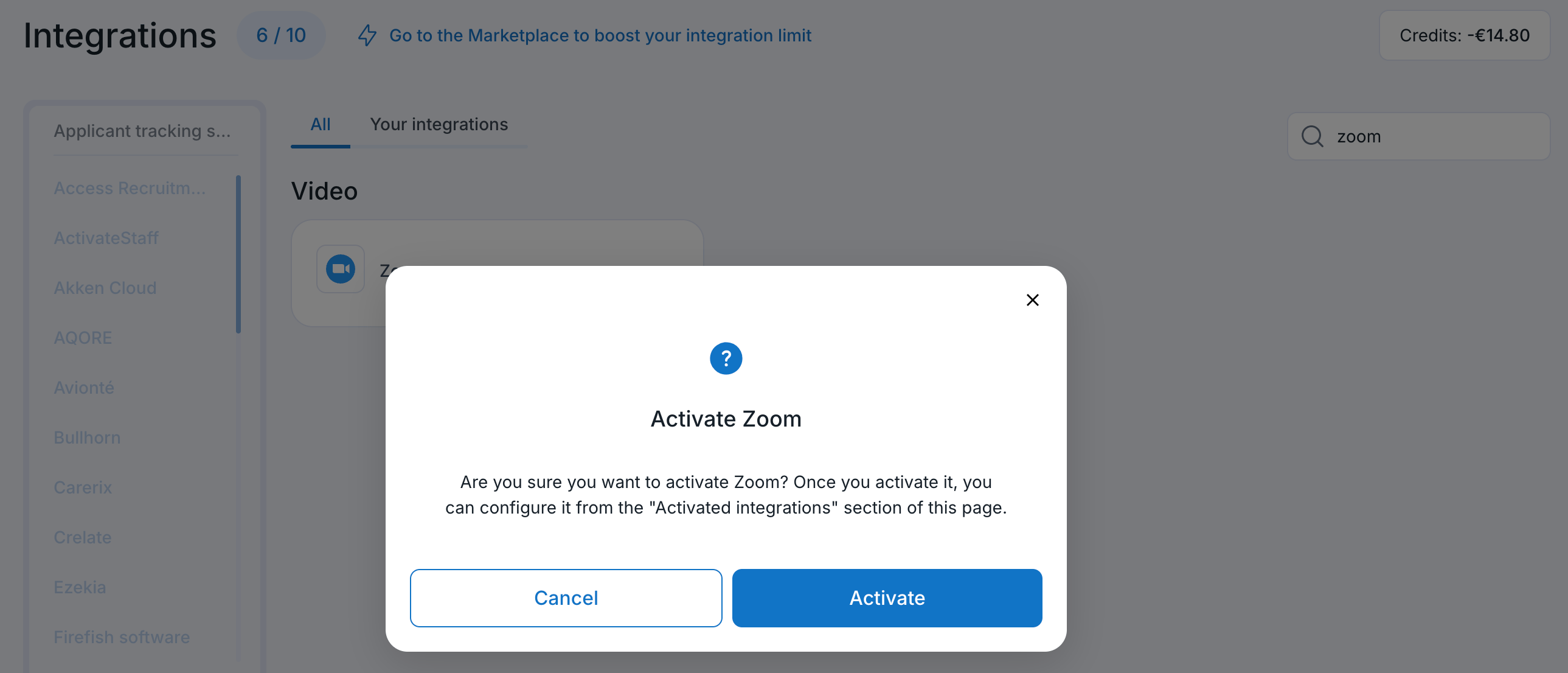
2. Map Ringover and Zoom users
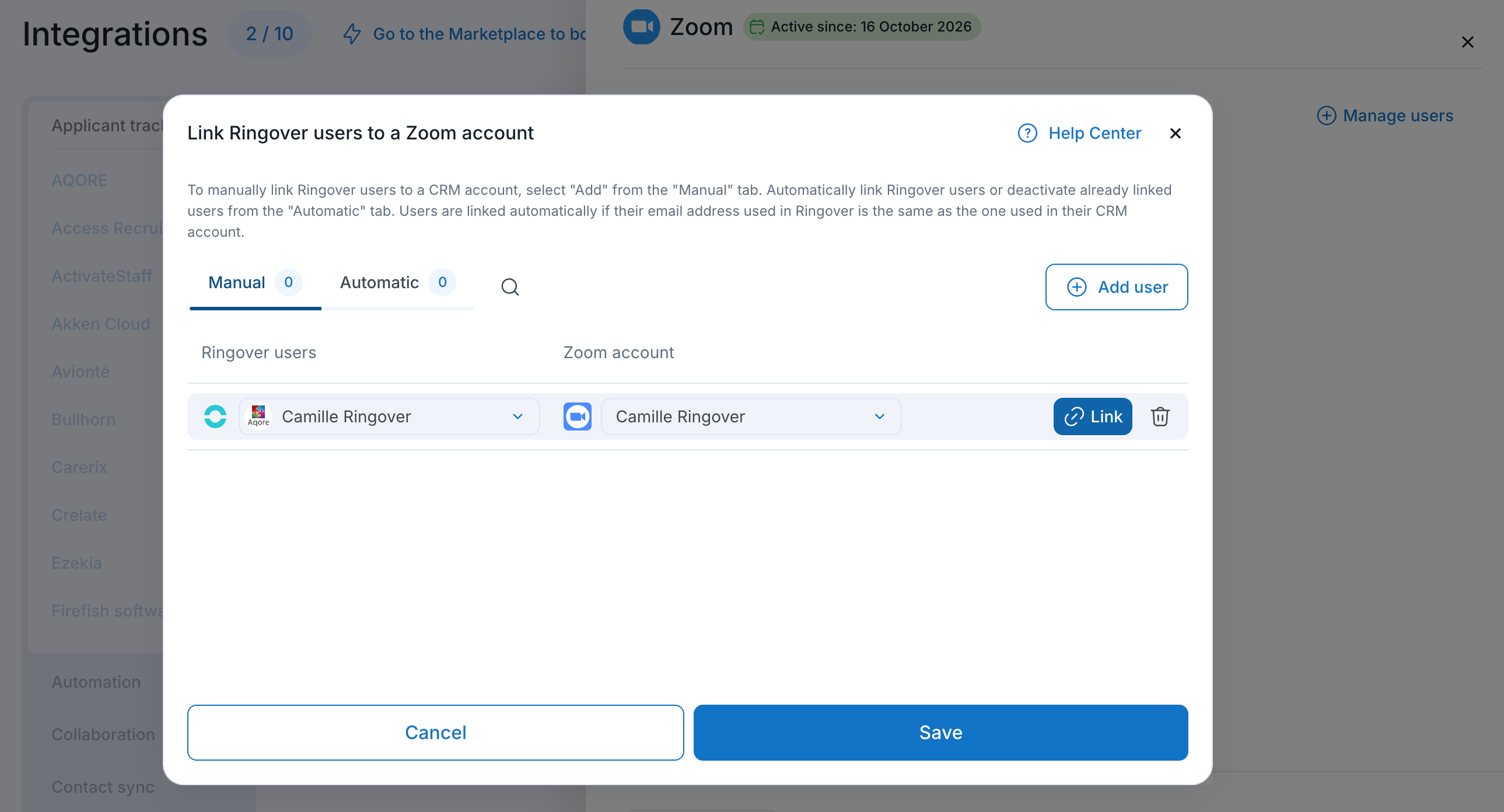
Pair team accounts so that video meeting logs and recordings are attributed correctly.
- Return to Dashboard > Store > Integrations.
- Click Configure next to Zoom.
- Match each Ringover user to their corresponding Zoom user account.
- Click Save.
💡 Always stop or end the meeting recording before leaving the Zoom call to ensure the recording file generates and syncs correctly.
Troubleshooting
What should I do if meeting recordings are not being emailed to me?
If your meeting recordings are not being emailed, check the following troubleshooting steps:
- Ensure you end the recording before leaving the video call.
- Check your dashboard and call logs to confirm that the recording file exists.
- Verify your email notification settings in the Ringover Zoom integration panel.
- If issues persist, contact Ringover Support with specific details about the missing recordings.
🎉 You now know how to set up the Zoom integration and can seamlessly access all your video meeting logs and recordings directly in Ringover!