
Adding a user allows you to easily expand your team and grant them access to your phone system. In this guide, you’ll learn how to invite a new user to your account and how they can activate their profile.
Prerequisites
- Please note that you must be an administrator of the Ringover account to access this feature.
- A number available (How to add a number)
- A license available before proceeding (How to manage my credits, licenses and invoices)
Add a new user to your account
1. Send an invitation
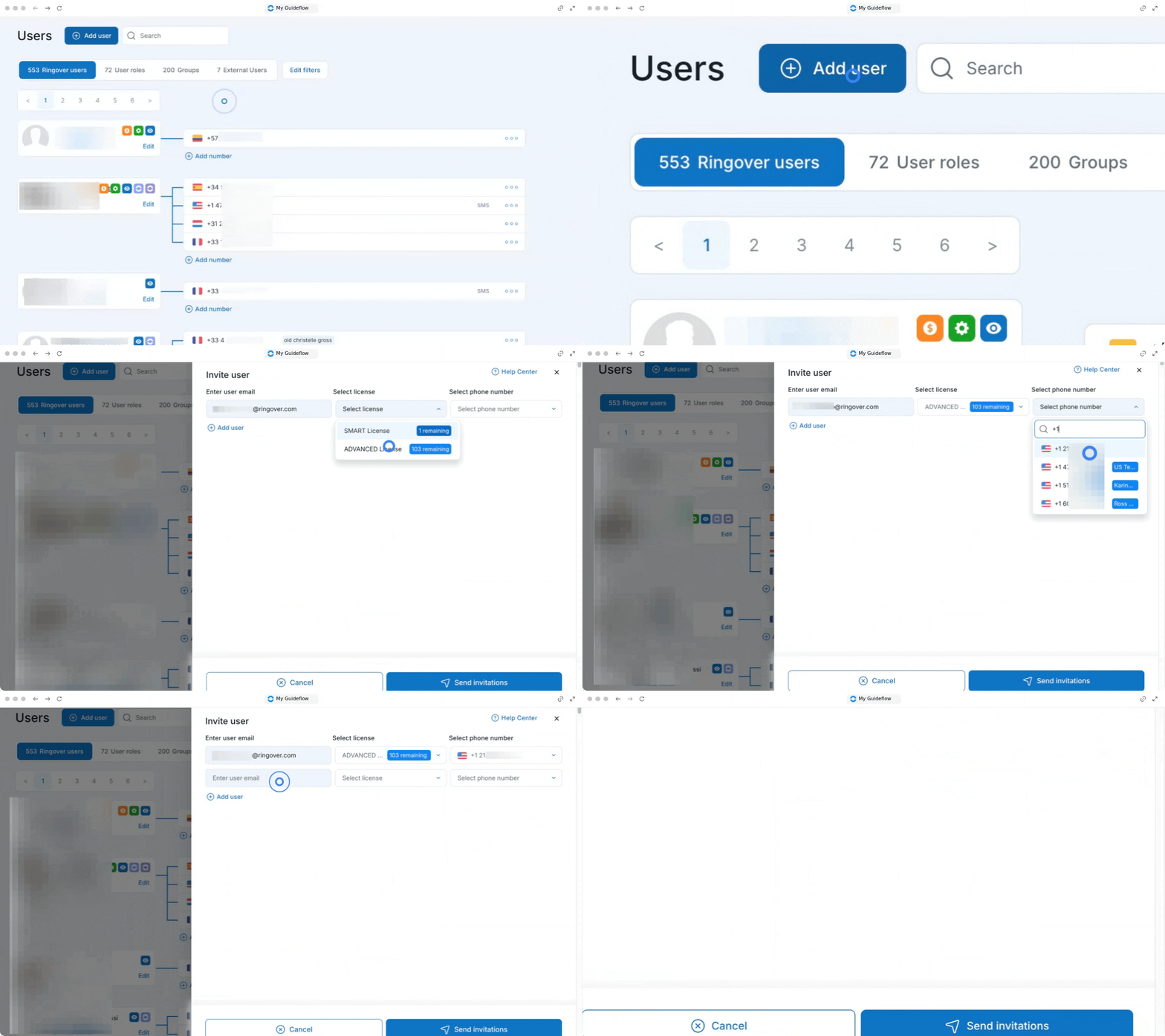
Start by navigating to your settings to fill out the necessary details for your new team member.
- Go to your Users page.
- Click on the “Add a user” button located at the top of the screen.
- Enter the email address of the new user.
- Select the license type.
- Select a number.
- Click on "Add user" if you want to add more users.
- Click on “Send invitations”.
2. Activate the user account
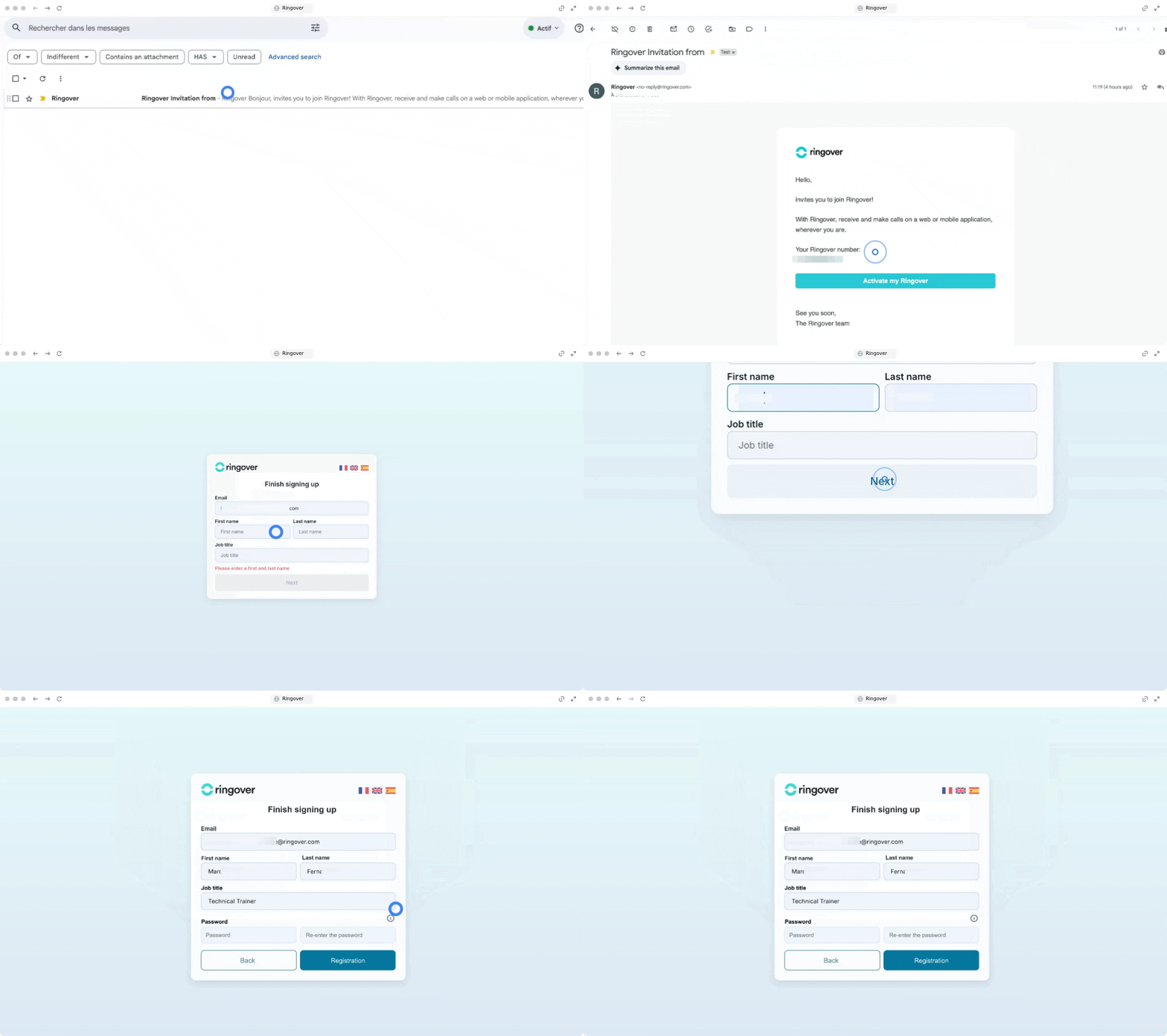
Once the invitation is sent, the new user must complete their registration via email.
- Open the invitation sent to the provided email address.
- Click on "Activate my Ringover".
- Wait to be redirected to the Ringover website.
- Enter the first name, last name, email address, and a password (and confirm it).
- Click on "Create your Ringover account".
🎉 You now know how to add a user and can seamlessly manage your growing team on Ringover!