
Video Templates provides four main actions: Edit, Share, Send test mail, Duplicate, and Delete. These actions allow users to customize and manage their video templates as needed.
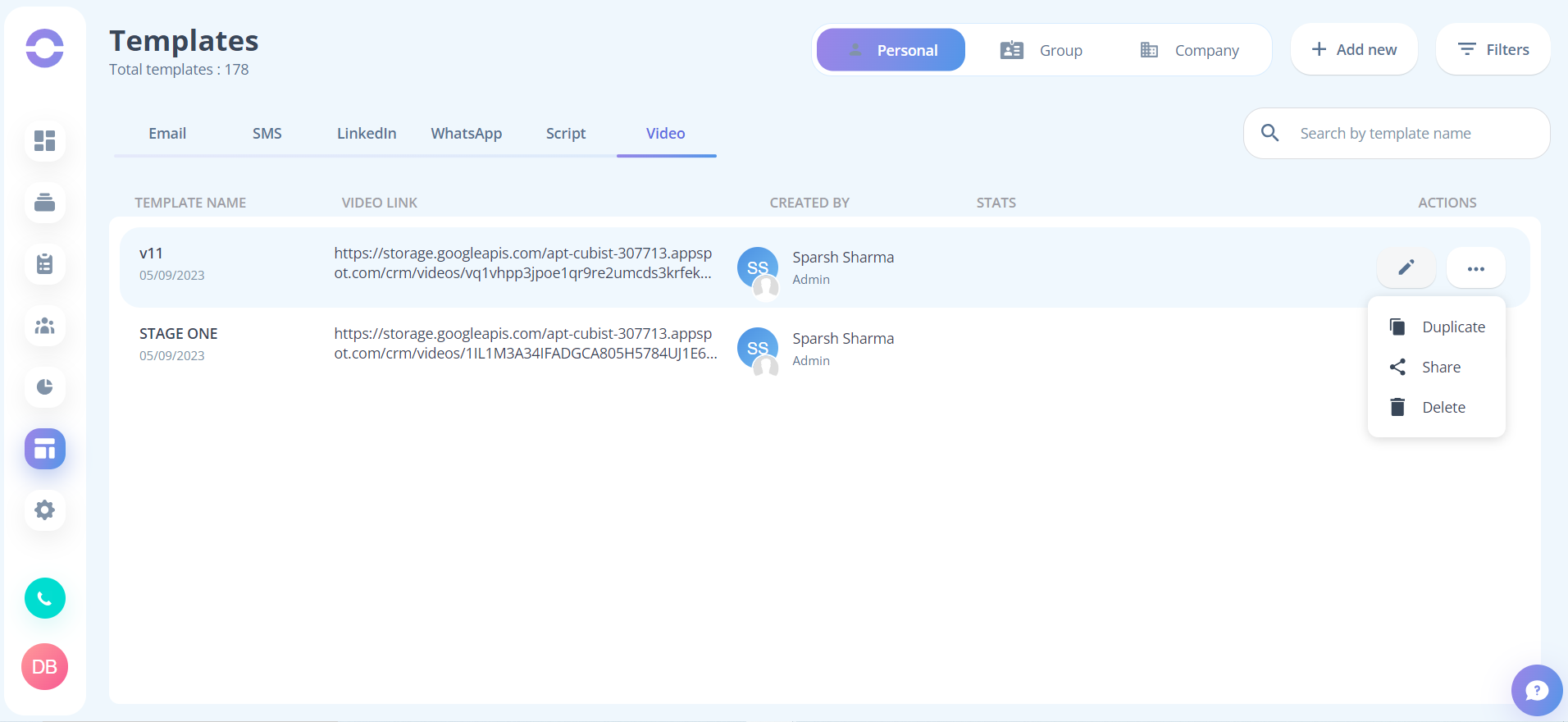
1. Edit: Only the user who created the template has access to this feature, and they can edit only the template name.
2. Share: The owner, Sales Manager, and Admin have access to this template and can share a copy of it with another user. The Sales Manager and Admin can also share a copy of the template with others at different levels such as personal, group, and company templates.
3. Duplicate: Only the owner of the template can create a duplicate of a template.
4. Delete: Only the owner of the template can delete a template.
Frequently asked question
- Q. What are the different actions available for Video templates in Ringover Cadence?
Ans: Edit, Share, Duplicate, and Delete.
- Q. Who has access to the Edit feature for Video templates in Ringover Cadence?
Ans: Only the user who created the template has access to this feature.
- Q. Who has access to the Share feature for Video templates in Ringover Cadence?
Ans: The owner, Sales Manager, and Admin have access to this template and can share a copy of it with another user. The Sales Manager and Admin can also share a copy of the template with others at different levels such as personal and company templates.
- Q. Who has access to the Duplicate feature for Video templates in Ringover Cadence?
Ans: Only the owner of the template can create a duplicate of a template.
- Q. Who has access to the Delete feature for Video templates in Ringover Cadence?
Ans: Only the owner of the template can delete a template.
- Q. Can different users have different levels of access to the actions available for Video templates in Ringover Cadence?
Ans: Yes, different users have different levels of access to these actions, depending on their role within the organization.