
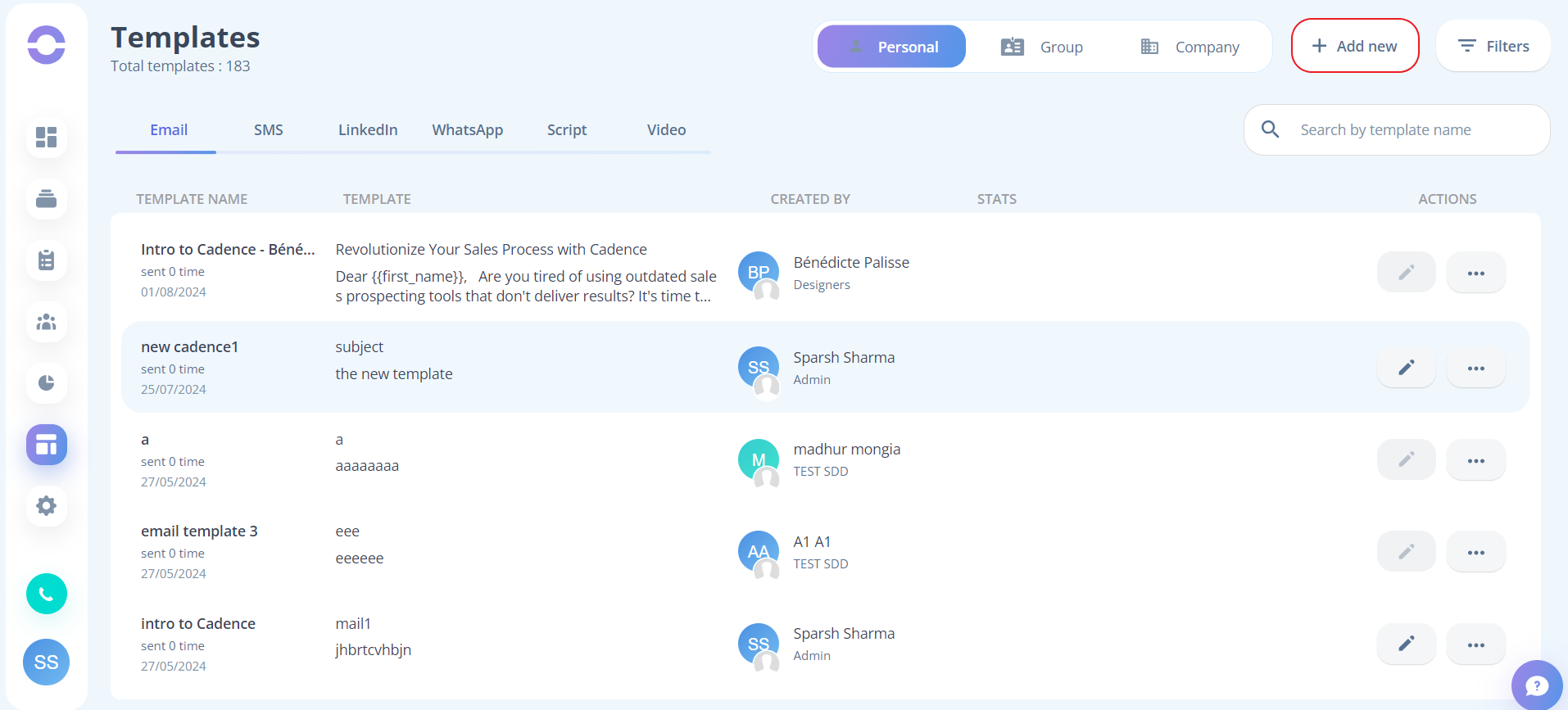
- Step 1: Inside templates click on the "add new" button to start creating a template
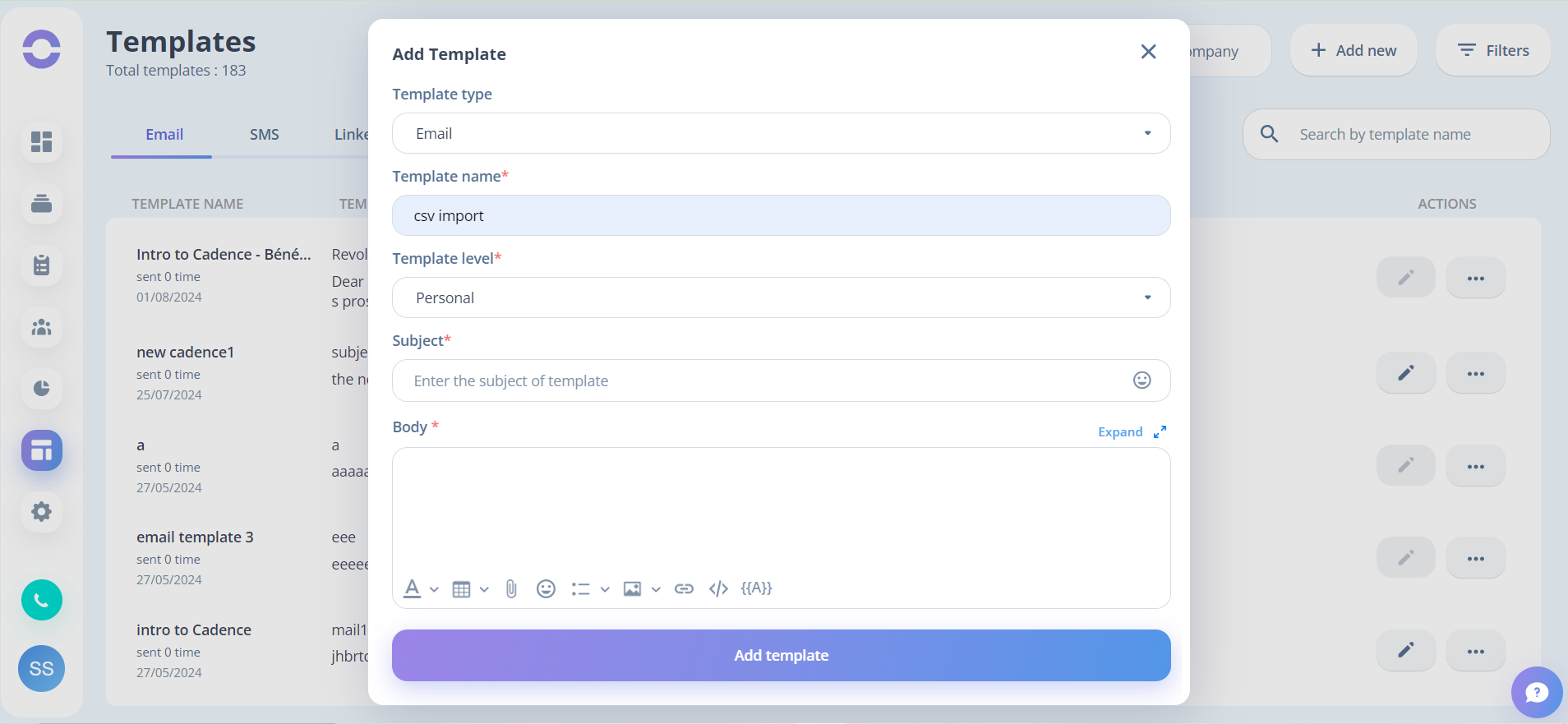
- Step 2: In “Template type” select “Email” choose the appropriate “Template Level” and fill in all the other fields as per your requirements
- Step 3: Click on the “Save” button to save the template
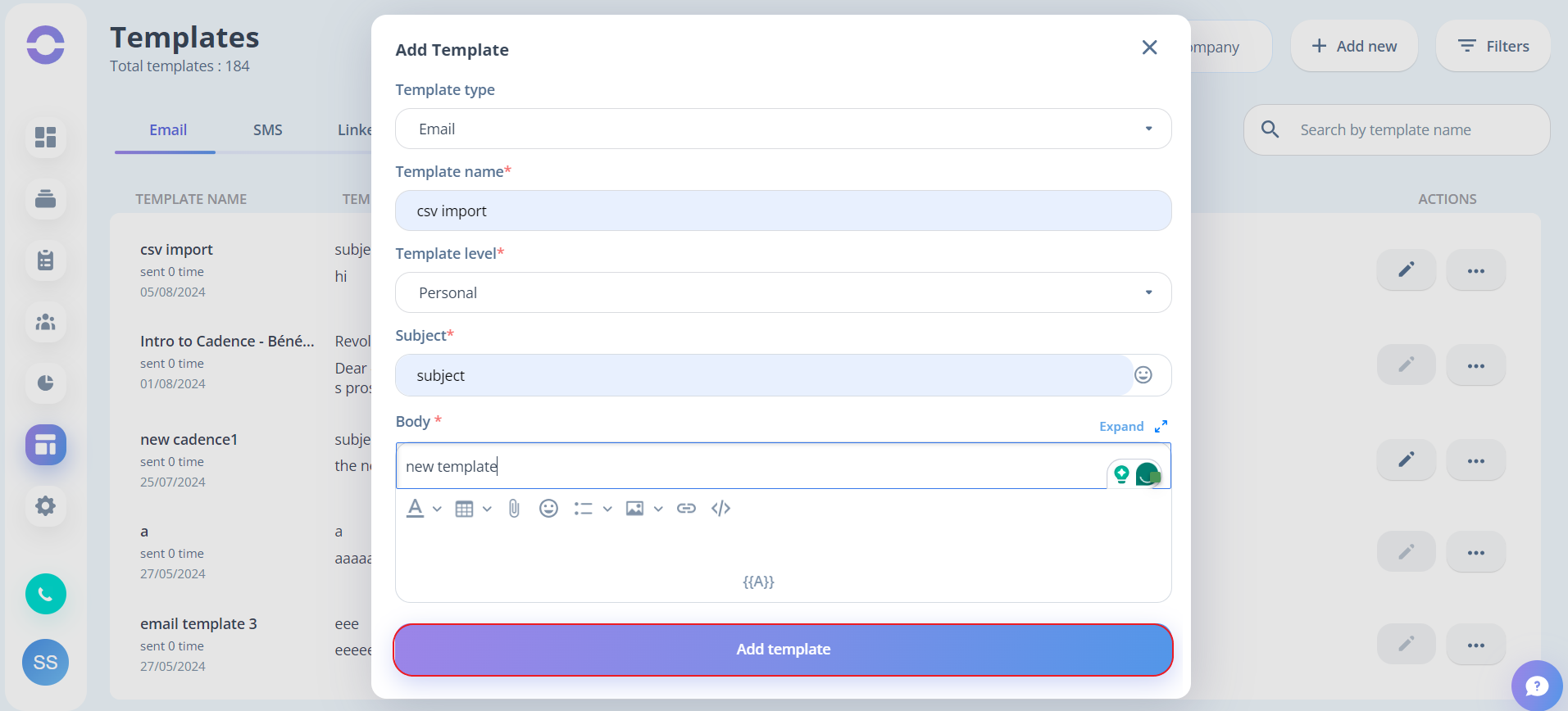
Once the template is saved you can view the template in detail by clicking on the “TEMPLATE NAME”