Plug-in Registration tool (PRT) for webhook
Topics Covered:
- Prerequisite
- About
- Steps to install PRT (in Windows)
Prerequisite
Windows 11 must be installed on your laptop.
About
A plug-in is a custom business logic that integrates with Microsoft Dynamics CRM to modify or extend the standard behavior of the platform.
Steps to install PRT (in Windows)
The procedures for installing PRT for Windows are as follows:
Step 1: Create a folder on your desktop and name it “Dynamics_365_Development_Tools“
Step 2: Open the folder, then right-click to open the “Windows terminal”
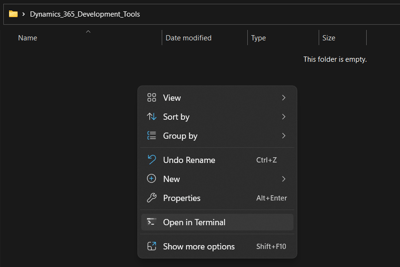
Step 3: You'll need to copy the below PowerShell script in the PowerShell Window to download the Plugin Registration Tool from Nuget.
|
$sourceNugetExe = "https://dist.nuget.org/win-x86-commandline/latest/nuget.exe" $targetNugetExe = ".\nuget.exe" Remove-Item .\Tools -Force -Recurse -ErrorAction Ignore Invoke-WebRequest $sourceNugetExe -OutFile $targetNugetExe Set-Alias nuget $targetNugetExe -Scope Global -Verbose ./nuget install Microsoft.CrmSdk.XrmTooling.PluginRegistrationTool -O .\Tools md .\Tools\PluginRegistration $prtFolder = Get-ChildItem ./Tools | Where-Object {$_.Name -match 'Microsoft.CrmSdk.XrmTooling.PluginRegistrationTool.'} move .\Tools\$prtFolder\tools\*.* .\Tools\PluginRegistration Remove-Item .\Tools\$prtFolder -Force -Recurse Remove-Item nuget.exe |
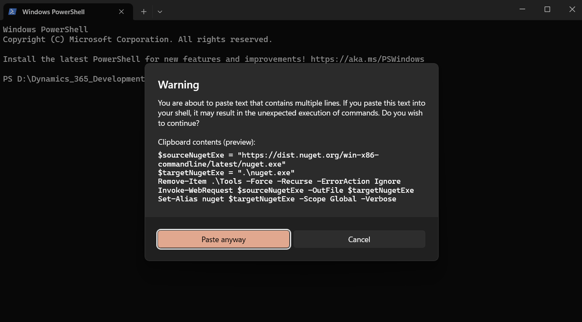
Step 4: Now go to powerShell window and try to paste it. As soon as you try to paste it, you will get a warning pop-up. Click on the "Paste anyway" button.
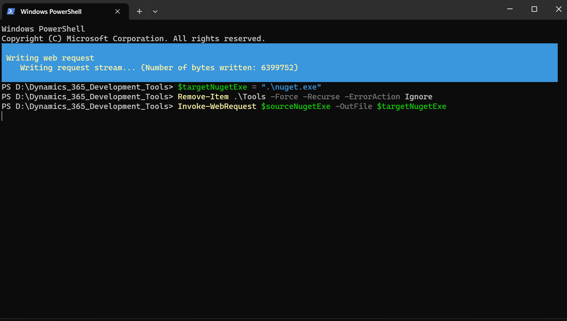
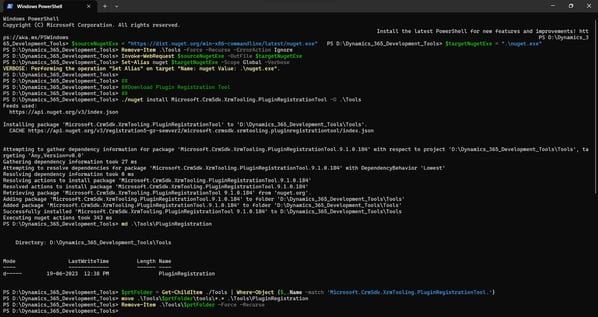
Step 5: Now the Plugin Registration Tool is downloaded successfully.
Step 6: Go to Dynamics_365_Development_Tools\Tools\PluginRegistration and click on the “PluginRegistration” Application.