
The Ringover integration with Talkr.ai allows you to turn your phone lines into intelligent voice assistants capable of handling, qualifying, and automating incoming and outgoing calls. In this guide, you’ll learn how to activate the Talkr.ai integration and assign callbots to your Ringover voice menus.
Prerequisites
- An active Ringover Business account.
- Administrative or technical permissions on your Ringover Dashboard.
- An active Talkr.ai account.
How to set up and configure Talkr.ai integration
1. Activate Talkr.ai in Ringover
Enable the Talkr.ai integration directly from your Ringover integrations store.
- Log in to your Ringover Dashboard.
- Go to Store > Integrations.
- Locate Talkr.ai and click Activate.
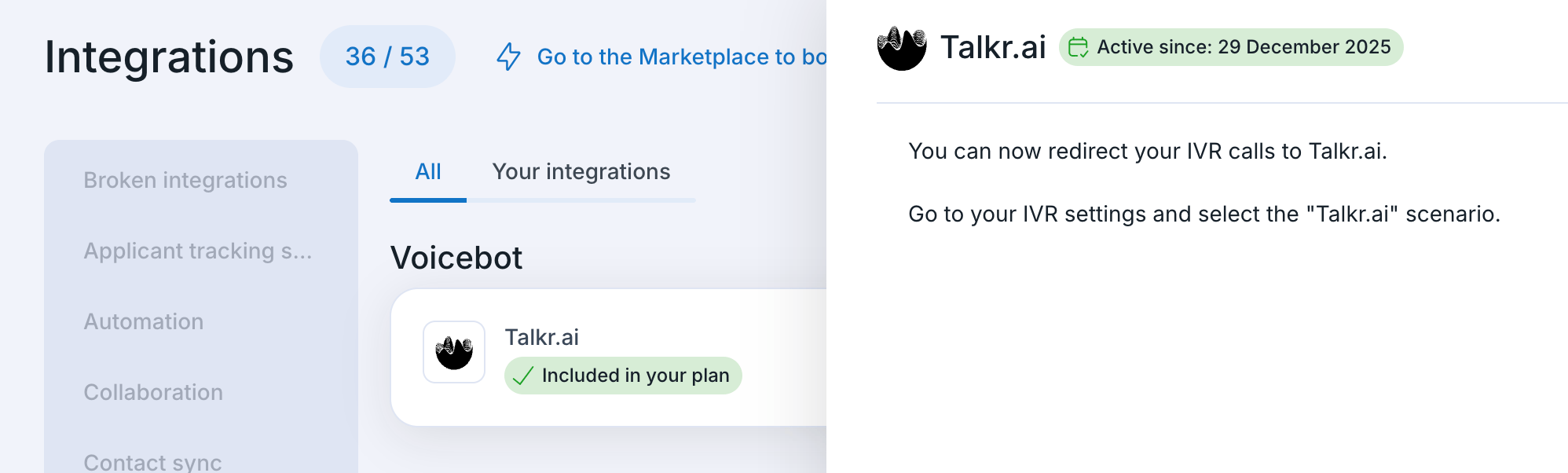
2. Assign Talkr.ai agent to a Voice Menu
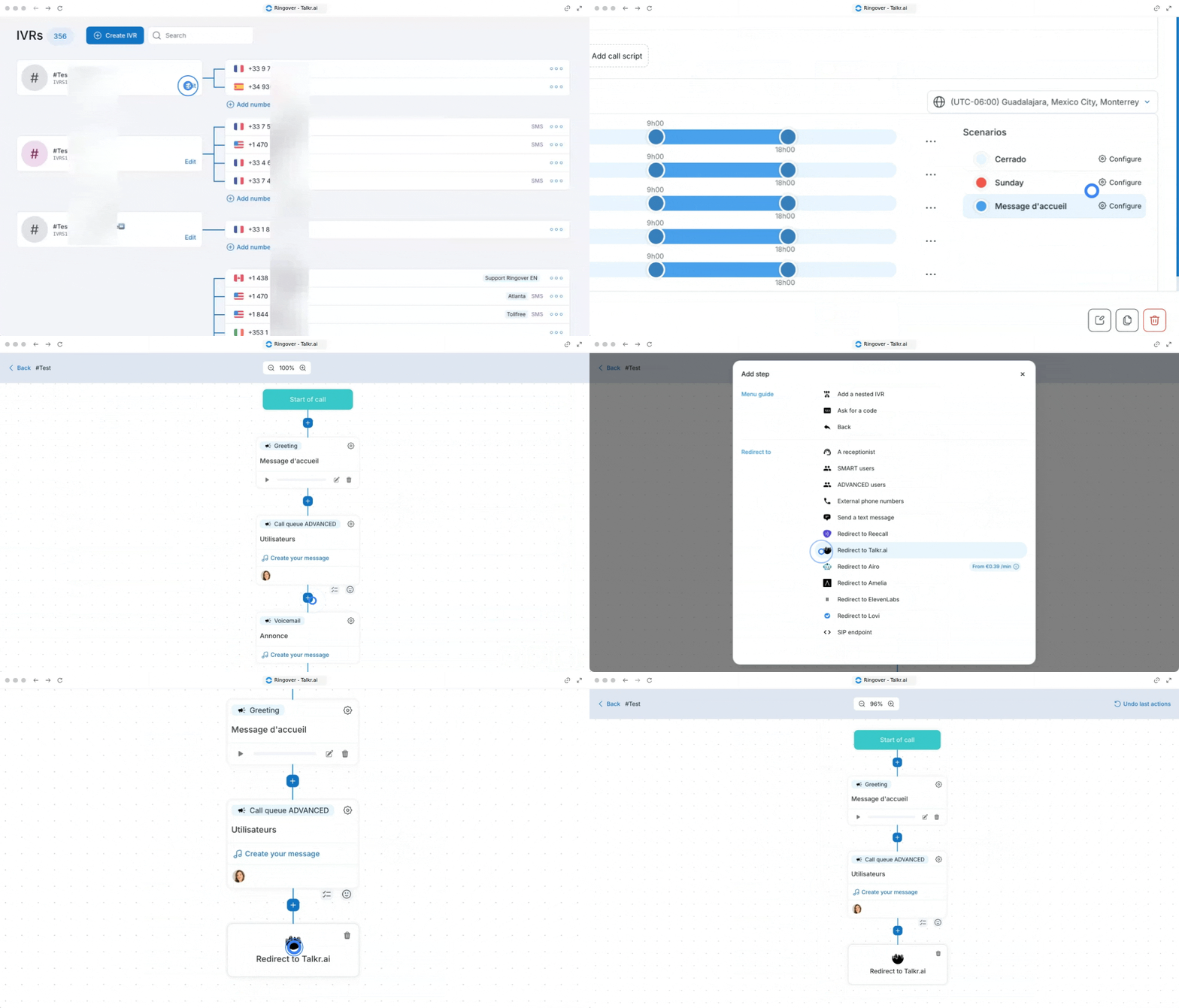
Route incoming callers to your personalized Talkr.ai callbot within your IVR call flows.
- Go to the Configuration section in your Ringover Dashboard.
- Select Voice Menus from the menu.
- Choose the voice menu to which you want to assign your Talkr.ai agent and click Edit.
- When adding a step in the scenario, select Redirect to Talkr.ai.
- Click Save Voice Menu at the bottom of the page to apply your changes.
💡 Make sure your Talkr.ai callbot scenarios and automated workflows are completely configured on the Talkr.ai platform before routing live caller traffic.
🎉 You now know how to set up the Talkr.ai integration and can seamlessly automate call responses and reduce customer wait times!