
Integrating Empower summaries into Salesforce allows you to automatically sync all your team's meeting summaries and transcriptions into your opportunities and contacts. In this guide, you’ll learn how to configure this option and link your users to centralize your data.
Prerequisites
- The general integration between Ringover and Salesforce must already be active on your account.
Configure Empower Summaries in Salesforce
1. Enable summary synchronization
Access your integration settings to enable data synchronization.
Go to your Ringover Dashboard (Integrations) under the My integrations tab.
Click on your active Salesforce integration to open the configuration panel.
Enable the option: "Add Empower/Meeting summaries and transcripts to call logs."
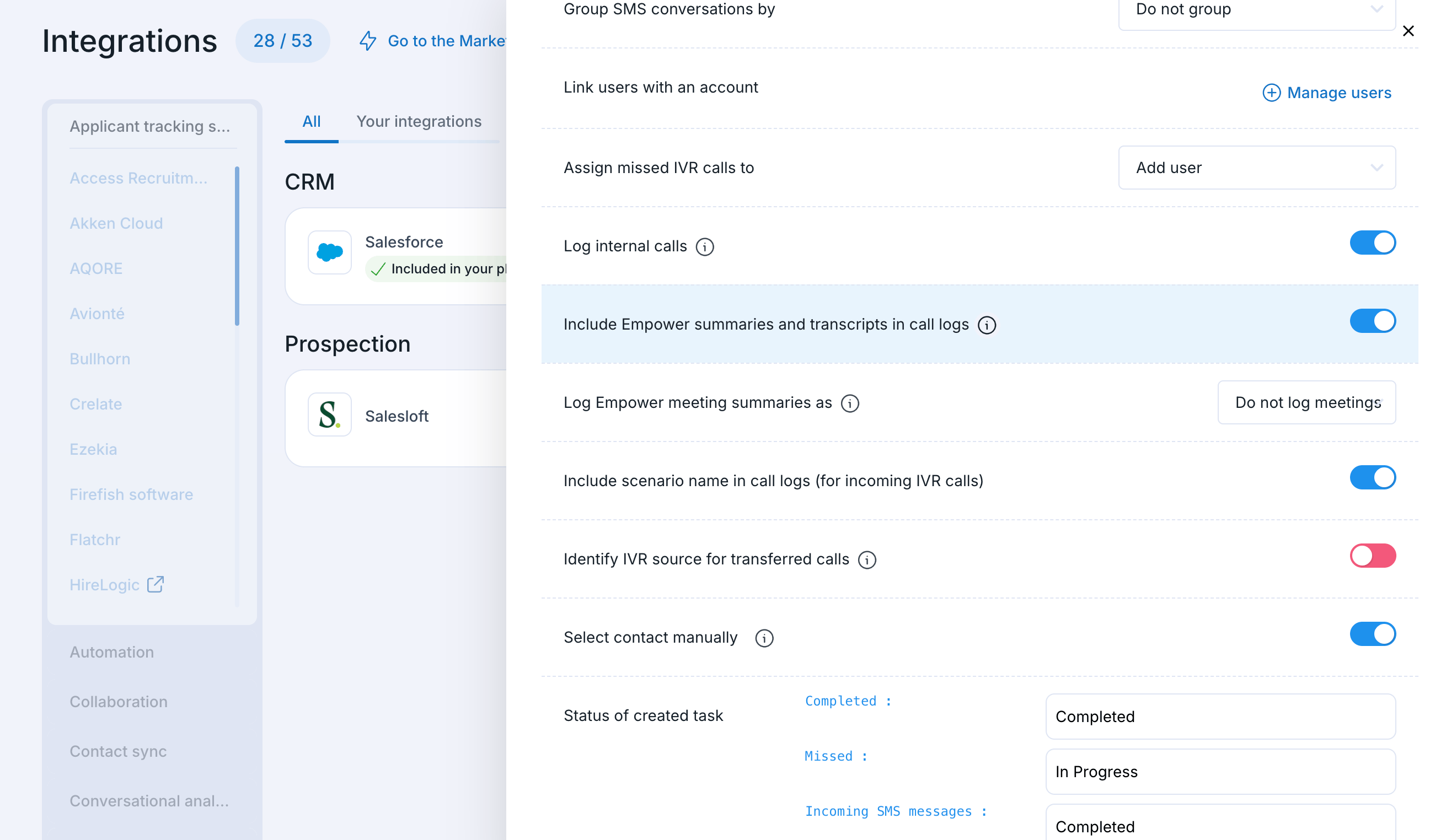
2. Link and manage your users
Verify that the relevant team members are properly linked to the integration so that their summaries are synchronized.
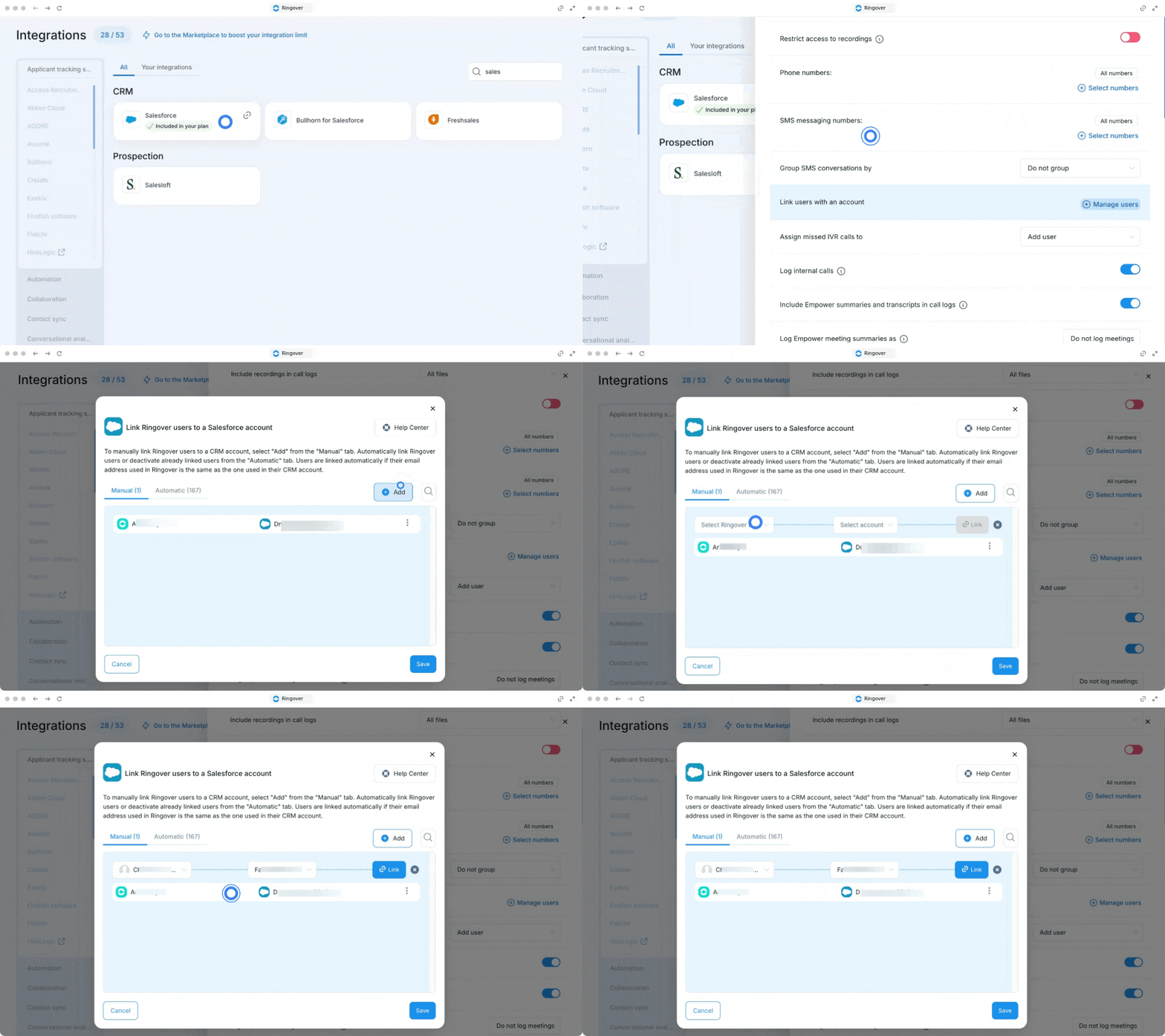
Click on Manage users to check that the relevant team members are correctly linked to Salesforce.
Add new users
If a user does not appear in the existing list, you can easily add them.
Click on Add users.
Add the user to link them to their Salesforce account.
🎉 You now know how to configure the synchronization, and your summaries will now be automatically added to your Salesforce opportunities and contacts!