
The Meet.us integration with Google Calendar allows you to schedule video conference calls directly within your Google Calendar events. In this guide, you’ll learn how to install the Meet.us add-on from the Google Workspace Marketplace and select Meet.us as your default video conferencing option when creating events.
Add Meet.us video conferencing to Google Calendar
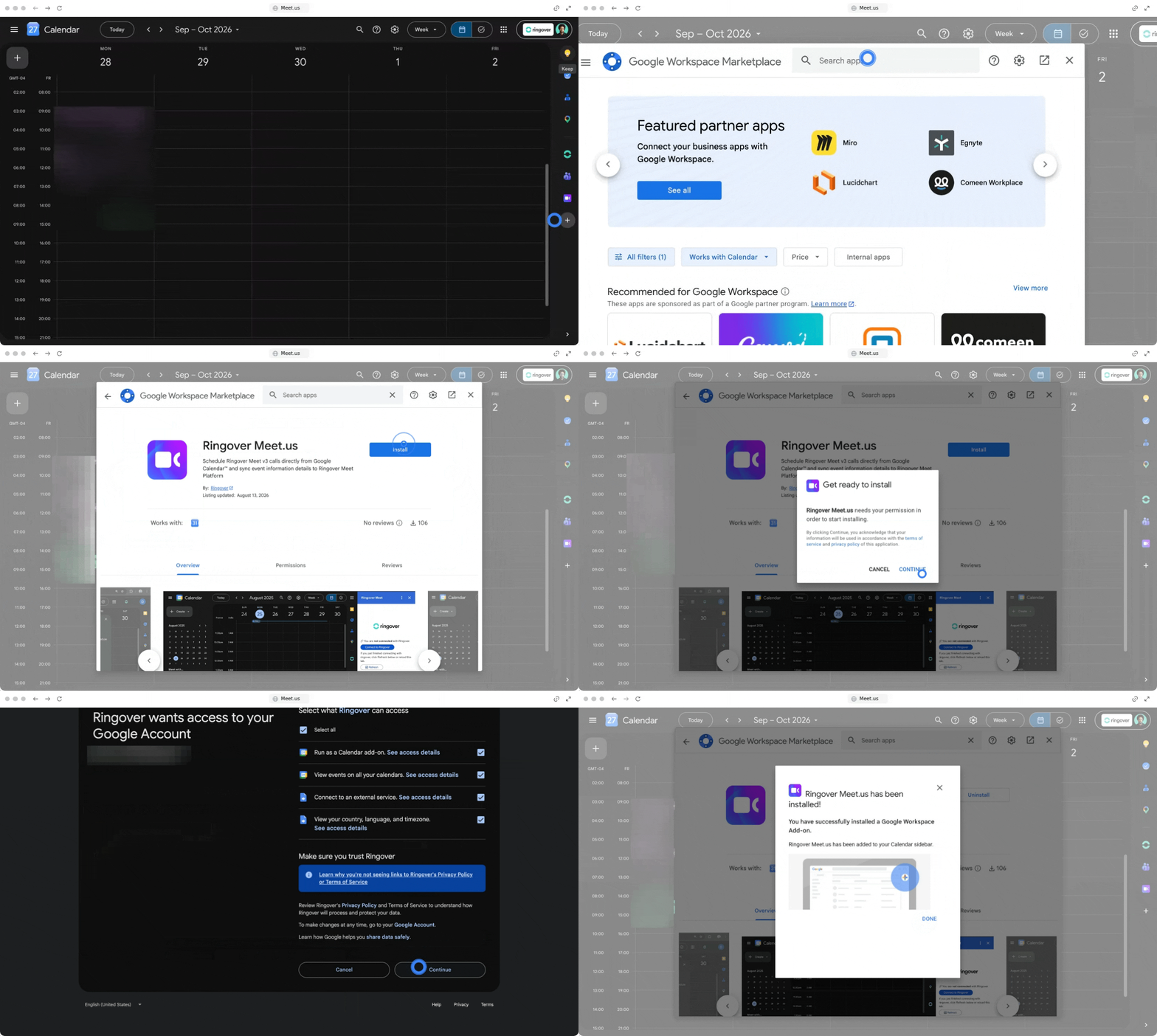
1. Install the Meet.us add-on from Google Workspace Marketplace
Search for and authorize the Meet.us add-on to link it with your Google Workspace account.
- Open the Google Workspace Marketplace
- Search for Meet.us in the search bar
- Click on Install to add the extension to your account
- Grant the required permissions.
2. Add Meet.us video conferencing to Google Calendar events
Use Meet.us as your video meeting provider directly when scheduling new meetings in Google Calendar.
- Return to Google Calendar
- Click to create a new event (or edit an existing event)
- Locate and click on the Add video conferencing drop-down menu
- Select Meet.us from the list of available video conferencing providers
- Save your event to generate and include the Meet.us meeting link for your invitees
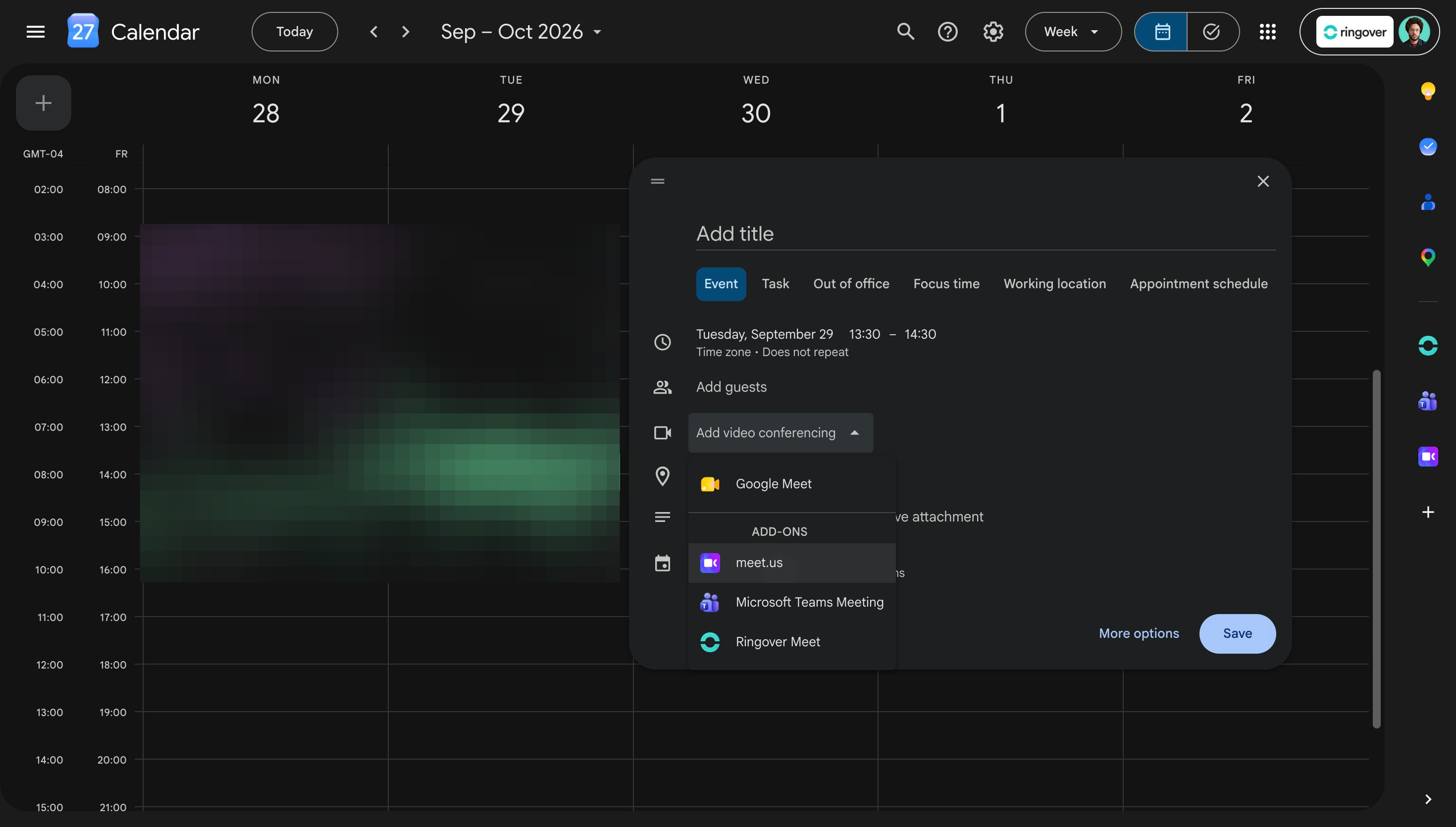
Once authorized, Meet.us stays available in your video conferencing drop-down menu, allowing you to launch video calls without leaving Google Calendar.
🎉 You now know how to add Meet.us video conferencing to Google Calendar and can seamlessly generate Meet.us links for all your scheduled meetings!